If you're an iOS developer, chances are you're familiar with the AV Foundation Framework. The AV Foundation Framework contains APIs that allow you to play videos as well as audios. In iOS 7, the AV Foundation Framework comes with a very cool new feature—it allows you to use the device's camera to scan one- and two-dimensional barcodes. In this article, I show you how to create an application to use the AV Foundation Framework to perform barcode scanning.
Showing posts with label article. Show all posts
Showing posts with label article. Show all posts
Monday, March 02, 2015

Saturday, January 31, 2015
Article - Interface Navigation in Apple Watch Apps

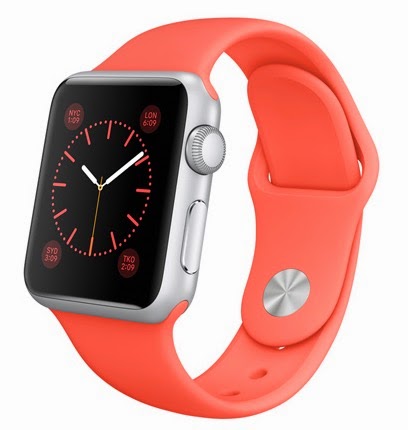 On the small face of an Apple Watch, your app won't have much space for displaying icons and navigation symbols. To solve that problem, the WatchKit includes navigation controls that give your Watch apps ways to be more useful to users. Wei-Meng Lee shows how to add maneuverability to your Apple Watch apps with navigation.
My previous article “Getting Started with the Apple WatchKit” showed how to get started writing your first Apple Watch application. In this article, we'll continue with our examination of the WatchKit API by examining how to implement page navigation in Watch apps.
Wednesday, July 02, 2014
Getting Started with Pebble Development
I have written an article on getting started with Pebble apps development at MobiForge.com.

Here is an abstract of the article:
"Pebble is a smartwatch developed by Pebble Technology Corporation. It is one of the most successful Kickstarter projects to-date and has received significant successes with consumers. The Pebble watch itself comes with a black-and-white e-paper display, and includes several sensors such as magnetometer, ambient light sensor, and an accelerometer."
Read the article here.
Tuesday, February 04, 2014
Article - Using Background Fetch in iOS
I am super excited to see my latest article published on MobiForge. Here is the abstract:
 "In iOS, except for some special cases, an application is not allowed to run in the background. While certainly a serious restriction for some types of application, this feature is designed to conserve battery power. Imagine apps continuing to run in the background without reins, and it is easy to see how the entire system might slow down and deplete the battery within a few hours.
Apple takes a measured approach to background processing. In the early days of the iPhone, after complains from developers about the inability to run apps in the background, Apple introduced the Apple Push Notification service (APNS). APNs allows apps which are not already running to receive background push notifications, thereby allowing apps to be notified when some important events need their attention.
In iOS 7, Apple has introduced another feature to allow apps to run (more or less) in the background – Background Fetch. Background Fetch allows your app to continuously fetch data from the network when it is in the background. As an example, consider the Facebook app. When the Facebook app is in the background, it can continually fetch the latest news feed so that when the user switches the app to the foreground, the latest news feed is already ready for viewing.
In this article we'll take a look to see how background fetch can be used to connect to a Web service, the Open Weather Map API, so that your app can continue to update itself in the background."
Apple takes a measured approach to background processing. In the early days of the iPhone, after complains from developers about the inability to run apps in the background, Apple introduced the Apple Push Notification service (APNS). APNs allows apps which are not already running to receive background push notifications, thereby allowing apps to be notified when some important events need their attention.
In iOS 7, Apple has introduced another feature to allow apps to run (more or less) in the background – Background Fetch. Background Fetch allows your app to continuously fetch data from the network when it is in the background. As an example, consider the Facebook app. When the Facebook app is in the background, it can continually fetch the latest news feed so that when the user switches the app to the foreground, the latest news feed is already ready for viewing.
In this article we'll take a look to see how background fetch can be used to connect to a Web service, the Open Weather Map API, so that your app can continue to update itself in the background."
Subscribe to:
Comments (Atom)