Sunday, January 18, 2015

iOS Tip - Detecting Screen Capture

In iOS 7 onwards, you can programmatically detect if the user captures the screen using the Home and Lock buttons to take a screen shot. When the user takes a screen capture, the OS fires the UIApplicationUserDidTakeScreenshotNotification notification. Thus, all you have to do is to handle register for this notification and do whenever you want to do when this notification is fired. The following shows an example:

    override func viewDidLoad() {
        super.viewDidLoad()
        
        NSNotificationCenter.defaultCenter().addObserverForName(
            UIApplicationUserDidTakeScreenshotNotification,
            object: nil,
            queue: NSOperationQueue.mainQueue())
            {
                notification in
                println("Screen shot taken!")
            }

    }

Note that this notification is fired only after the screen shot is taken. 

IOS302 - Advanced iOS - Apple Watch Programming Course


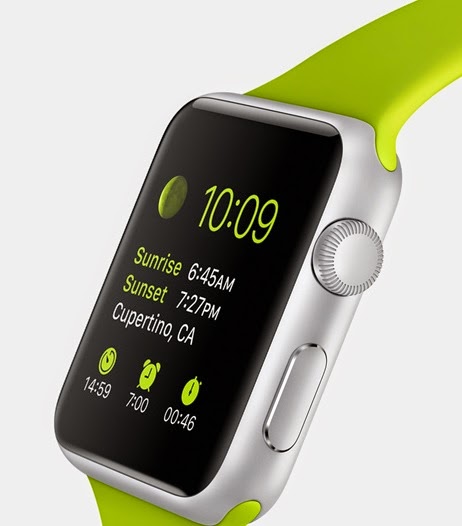
Apple is slated to release the Apple Watch this quarter. To prepare for the wave of the next generation of wearable apps, this is the best time to get started with Apple Watch programming! Join us in this 1-day course on Apple Watch programming and see how you can create your next killer app!

P.S. The prerequisite for the course is IOS101 - Foundation of iPhone Programming. 
Course Fee
S$1297 (nett; no GST)
Schedules
Start DateEnd DateDetailsCategory
Fri Jan 16 2015Fri Jan 16 2015PDF
Fri Feb 27 2015Fri Feb 27 2015PDF
Wed Mar 11 2015Wed Mar 11 2015PDF
Venue
Bayview Hotel Singapore
30 Bencoolen Street
Singapore 189621

Monday, January 12, 2015

Developing a Selfie Remote-Control App in iOS Using Bluetooth Low Energy


Wei-Meng Lee speeds through the easy setup of a remote-control app employing Bluetooth LEs on Apple's iOS. Using an inexpensive TI SensorTag for remote control, you can prompt your gadget remotely to perform a variety of tasks. Here, you'll learn how to set up your device and system to take 'selfie' photographs, even when you're nowhere near your iPhone.
Bluetooth Low Energy (Bluetooth LE) is getting a lot of attention lately due to its support in various devices and gadgets. Thanks in no small part to the advent of the IoT (Internet of Things), Bluetooth LE is poised to change the way you build applications that interact with external devices and gadgets. Although Bluetooth LE is just starting to get developers' interest, Apple actually had support for Bluetooth LE very early on, starting from the iPhone 4S.
In this article, rather than walk you through the details of Bluetooth LE programming, I'll show you how to build a selfie remote-control app quickly, using the Bluetooth LE APIs in iOS 6 and later, with a cheap $25 device for the remote control.
Want to learn more about Bluetooth Low Energy using iOS? Come and join us in the next run of the IOS301 - Advanced iOS - Programming Bluetooth Low Energy course:
Course Fee
S$699 (nett; no GST)
Schedules
Start DateEnd DateDetailsCategory
Fri Jan 02 2015Fri Jan 02 2015PDF
Thu Mar 12 2015Thu Mar 12 2015PDF
Wed Apr 08 2015Wed Apr 08 2015PDF
Venue
Bayview Hotel Singapore
30 Bencoolen Street
Singapore 189621  

Sunday, January 11, 2015

IOS305 – 1-Day Developing Secure iOS Applications

In this one-day course, you will learn how to write secure iOS applications. You will learn how to save user data securely on your iPhone, and how to perform authentication within your application using custom authentication and using Apple’s Touch ID.

Topics
• Implementing local authentication on your application
• Using Touch ID for authentication
• Cryptography in iOS
    o Hashing
    o Encryption/Decryption
• Saving passwords in Keychain
• Sharing Keychain with Apps made by your team
• Obtaining Passwords from the user
• Connecting to a secure Web service
• iOS File system Security
• Security Best Practices

Wednesday, January 07, 2015

AND101 - Consuming REST Services in your Android App

In the AND101 Foundation of Android Programming course, you will now learn how to consume REST services in your iOS apps. In addition, the course is now taught using Android Studio, the recommended IDE for Android development.

Check the course schedule now!

IOS101 - Consuming REST Services in your iOS App

In the IOS101 Foundation of iPhone Programming course, you will now learn how to consume REST services in your iOS apps. In addition, the course is now taught using Swift as the programming language.

Check the course schedule now!

Tuesday, January 06, 2015

WEB103 - Web Development using PHP and MySQL - Developing RESTful Services

The WEB103 - Web Development using PHP and MySQL course will now include coverage of how to develop RESTful services using PHP!

You will learn the fundamentals of how REST services are designed and created, and what's more, you will learn how to consume the REST service that you have created using:
1. A client-side app using JavaScript
2. A server-side app using PHP
3. A mobile app using iOS
4. A mobile app using Android

Click the button below to check the schedule.

Sunday, January 04, 2015

Two New Courses on Writing Secure iOS and Android Apps

Come this Feb, there will be two brand new courses on writing secure iOS and Android apps:


IOS305

Advanced iOS - Developing Secure iOS Apps (S$799)


AND301
Advanced Android - Developing Secure Android Apps (S$799)


More information will be released shortly. Reserve your seats now!

Learn Web Development using PHP and MySQL

While most of the attentions have been placed on mobile development in recent years, server-side development has always played an important role in mobile-enabling enterprise applications. One of the favourite tools for server-side development is PHP.

PHP is an easy to learn language and is freely available for most web servers and platforms. Together with the world's most popular open source database - MySQL, PHP powers some of the world's most popular web sites, such as Facebook, Google, Yahoo, and more.

In this course, you will learn how to develop web applications using PHP and MySQL. This course is lab intensive, and at the end of the course you would be able to create the following applications:

1. A membership system where users can login, or register as a new user.
2. An online polling application
3. An AJAX applications connected to a PHP application
4. A JSON Web services
5. iOS and Android applications that consumes a JSON service developed using PHP and MySQL


In addition, this course would also cover how to get started with Amazon Elastic Cloud (EC2), and how to deploy the applications you have built onto Amazon EC2.

Check the course schedules below!

Saturday, January 03, 2015

Course Calendar for 2015 is now out!

You can now view the complete course calendar for 2015 and search for specific course by clicking on the following button. More courses will be added shortly!

Tuesday, December 23, 2014

Using reserved word in Swift methods

If you attempt to call a method that uses a Swift reserved word in its method name, you will get an error. For example, the NSURLProtectionSpace class has an initializer that takes in an argument with the protocol label:

 var protectionSpace = NSURLProtectionSpace(
            host: url,
            port: 80,
            protocol: "http",
            realm: nil,

            authenticationMethod: nil)

As the protocol is a Swift reserved word, this will cause a problem for the compiler. To fix this, enclose the protocol word with a pair of back-quotes (``), like this:

 var protectionSpace = NSURLProtectionSpace(
            host: url,
            port: 80,
            `protocol`: "http",
            realm: nil,

            authenticationMethod: nil)

Sunday, December 21, 2014

New Course - IOS304 – 2-Day Advanced iOS 8 Programming

In this two-day course, you will learn the new APIs available in iOS 8. iOS 8 includes a sleuth of new APIs to make apps development easier and more powerful. In this course, you will focus on four key areas – app extension programming, Touch ID authentication, server-side database development using CloudKit, and using the Handoff APIs to synchronize the user activities on multiple devices.

Topics
• Programming App Extensions o Creating Today extensions (widgets)
     o Sharing content with other apps
     o Creating Actions o Document Providers
• Touch ID Programming
     o Enabling Touch ID authentication in your application
• Using CloudKit
     o Creating databases in iCloud using the CloudKit Dashboard
     o Accessing databases from iCloud
• Using the Handoff API
    o Syncing user activities between Mac OS X and iOS

Course Fee
S$1,297 (nett; no GST)

Date
16-17 Feb 2015

Venue
Bayview Hotel
Singapore

Tuesday, December 16, 2014

Foundation of iPhone Programming course on 29-30 Dec 2014 is confirmed!

The Foundation of iPhone Programming course on the 29-30 Dec 2014 is confirmed! You will also get a crash course in Swift, plus two very useful and nicely laminated Swift cheat sheets! 

Download your own Swift Cheat Sheets:
http://weimenglee.blogspot.sg/2014/11/swift-cheat-sheets-download-today.html

Course Calendar
http://weimenglee.blogspot.sg/p/blog-page.html
Venue
Bayview Hotel
Singapore

Course Fee
S$1,097 (nett; no GST)

Tuesday, December 02, 2014

Article - Using Objective-C and Swift together in iOS Apps

As an addendum to my previous article about the role of Swift in iOS app development, we now take a look at how Swift and Objective-C can be used together in iOS apps. Despite Apple’s intention to replace the Objective-C language using Swift, it is not practical in the short term simply due to the fact that developers are deeply entrenched in Objective-C. Rather than force Swift down the developer’s throat, Apple has made it easy to allow Objective-C to interoperate with Swift. In this article, I run through a couple of simple examples to illustrate first how you can use Swift within an Objective-C project, and then how to include Objective-C within a Swift project.

Read the article here.

iOS courses are all updated to use Swift

My iOS courses are all fully updated to use Swift. When you attend the Foundation of iPhone Programming course, you will also get two nicely laminated Swift Cheat Sheets.  Use these cheat sheets to help you migrate your existing code to Swift. If you are a beginning iOS developer, these cheat sheets will save you lots of time.

Want your own cheat sheets? Download them here.

Thursday, November 27, 2014

Swift Cheat Sheets - Download today

One of the difficulties in using a new language is the need to remember the new syntax. And often you need a handy reference that is within reach. 

For this reason, I have created two Swift Cheat Sheets - Basics and Object-Oriented Programming. These two cheat sheets summarises some of the most commonly used syntax of the language. I have formatted them in two sizes - A4 and US Letter, so that you could print them out, laminate them, and keep them on your desk as your write your apps in Swift.

You can download the cheat sheets here:

A4 Size
Swift Cheat Sheet - Basics
Swift Cheat Sheet - Object-Oriented Programming

US Letter
Swift Cheat Sheet - Basics
Swift Cheat Sheet - Object-Oriented Programming

And to learn more about Swift, check out my latest book - Beginning Swift Programming (Wrox).

Sunday, November 23, 2014

IOS204 – 1-Day Advanced iOS – CloudKit Programming - 5 Jan 2014

I am happy to launch a new course on CloudKit programming!

One of the major new features in iOS 8 is CloudKit. Using iCloudKit, there is no need for you to write separate server-side code for your backend logic (e.g. web services and databases). Instead, CloudKit provides you with authentication, databases, and storages services. This means that you can now focus on developing your app and let CloudKit takes care of the backend services. What’s more, CloudKit is free for apps with moderate usage, with the ability to scale for enterprise users (with subscription). In this course, you will learn how to make use of CloudKit as a backend storage solution for your apps. In addition, you will also learn how to save documents and data in your application so that they are available to the same application running on other devices.

Date
5 Jan 2014

Venue
Bayview Hotel
SINGAPORE

Fee
S$699

Thursday, November 20, 2014

List of Courses

Not sure what courses to attend? This following chart summarises the key courses that I am currently running. Pick and choose the ones that you want to focus on. Learn something new today!


Tuesday, November 18, 2014

Programming the Apple Watch

Apple has just released Xcode 6.2 (beta) that supports the creation of apps for the Apple Watch. If you have always wanted to dabble in wearable programming, this is a great chance to get involved. The IOS302 - Advanced iOS - Apple Watch Programming is a one-day course that teaches developers how to develop Apple Watch applications.

Topics Covered

• Building Watch Apps
    o How Watch apps work
    o Watch apps lifecycle
    o Sharing data with your iOS app
    o Building the interface of your Watch apps
    o Using the various navigation models for your UI
• Creating Glances
    o What is a glance?
    o Managing the glance interface
• Creating Notifications
    o Notifications interfaces
    o Custom notification interfaces
    o Adding action buttons to notifications
    o Responding to actions

This course includes a Apple Watch (to be delivered when Apple releases the Apple Watch in early 2015)

Prerequisites: You need to be familiar with iOS programming before attending this course. To get started with iOS programming, you are recommended attend the following courses:
• IOS102 - Learn Swift Programming
• IOS101 - Foundation of iPhone Programming

Course Fee
S$1,297 (nett; no GST)

Dates
• 23 Dec 2014
• 27 Feb 2015
• 11 Mar 2015

Venue
Bayview Hotel
SINGAPORE

Monday, November 17, 2014

Article - Displaying Alerts in iOS 8

With every new release, Apple's operating system grows more powerful and a better fit for all its applicable devices. But changes in the OS mean extra work for software developers, who must ensure that their legacy programs still run and that new products fit the new version. Wei-Meng Lee describes the new UIAlertController class in iOS 8 and how it can improve your program's ability to display messages and get input from users.
With the launch of the iPhone 6 and iPhone 6 Plus, Apple also released the iOS 8 platform. Among the many updates in this version of iOS are some subtle changes that affect how alerts are displayed. In this article, I will discuss the new UIAlertController class and the classes that it replaces.
Read the article here. 

Sunday, November 16, 2014

Foundation of iPhone Programming (Swift) - 3-4 Dec 2014

If you want to get started with iPhone programming, this is the best chance to get started in the shortest amount of time. With the recent release of the new Swift programming language, iOS development has never been easier and more efficient. Whether you are a beginning iOS developer (or an existing Objective-C developer), this course offers the best and easiest way to get started with iOS development. 

Topics
* Getting started with Xcode
* Crash course on Swift
* Simple Animations
* Web Services
* Data Storage
* File Storage
* Application Preferences
* Deployment onto Simulator and Devices

Course Fee
S$1097 (nett; no GST)

Venue
Bayview Hotel
SINGAPORE

Tuesday, November 11, 2014

Building Cross Platform iOS and Android Apps using Xamarin and C# - 14-16 Jan 2015 (OSLO, NORWAY)

In collaboration with ProgramUtvikling, I will be teaching the Writing Cross Platform iOS and Android Apps using Xamarin and C# course on the 14-16 Jan 2015 in Oslo, Norway. This is a 3-day course that teaches the fundamentals of iOS and Android programming using Xamarin and the C# language . If you and your team are interest to get into cross platform iOS and Android development, this course provides the most cost effective way to get started! At the end of the course, you will be able to develop applications that runs on both the iOS and Android devices. 


What's more, this course will be taught using the latest version of Xamarin, and it will cover the latest Xamarin Forms, which allows you to build cross platform user interfaces for iOS and Android devices. For this course, you will get a lab-intensive workbook that illustrates the many important concepts of building an iOS and Android app.


Sunday, November 09, 2014

Tip - Redirecting Users to the Setting Page (iOS 8)

In iOS, you often need to redirect the user to the Settings page. For example, if you detected that the user has turned off WiFi and your application needs to access the Internet using WiFi, you might want to automatically launch the Settings page so that the user can turn on the WiFi directly. In iOS 8, you can do so via the UIApplicationOpenSettingsURLString constant, like this:

        if UIApplicationOpenSettingsURLString != nil {
            var appSettings = NSURL(string: UIApplicationOpenSettingsURLString)
            UIApplication.sharedApplication().openURL(appSettings!)
        }


The above code snippet will redirect the user to the Settings page. 

Fundamentals of Android Programming - 26-30 Jan 2015 (OSLO, NORWAY)

In collaboration with ProgramUtvikling, I will be teaching the Fundamentals of Android Programming course on the 26 - 30 Jan 2015 in Oslo, Norway. This is a 5-day course that teaches the fundamentals of Android programming, such as Activities, Intents, Broadcast and Broadcast Receivers, Networking, Notifications (local and remote), Data Storage, and more. If you and your team are interest to get into Android development, this course provides the most cost effective way to get started!


What's more, this course will be taught using Google's latest IDE - Android Studio. For this course, you will get a lab-intensive workbook that illustrates the many important concepts of building an Android app.

Fundamentals of iOS Programming - 19-23 Jan 2015 (OSLO, NORWAY)

In collaboration with ProgramUtvikling, I will be teaching the Fundamentals of iOS Programming course on the 19 - 23 Jan 2015 in Oslo, Norway. This is a 5-day course that teaches the fundamentals of iOS programming, such as Storyboard, View Controllers, Networking, Notifications (local and remote), Data Storage, and more. If you and your team are interest to get into iOS development, this course provides the most cost effective way to get started!


What's more, this course will be taught using Apple's latest language - Swift. The Swift language will be discussed as you work through the various lab exercises as this is the best way to learn a new programming language. You will receive a copy of my upcoming book - Beginning Swift Programming, as well as a Swift language quick-reference guide.


Tuesday, November 04, 2014

Updated Course Schedule from Nov 2014 to April 2015

I have just updated the new course schedule from Nov 2014 to April 2015. Among the courses, these are some of the new courses that I will be introducing:

1. Apple Watch Programming
2. Getting Started with Arduino
3. IoT (Internet of Things) Programming

If you are a mobile developer, this is an exciting moment as Apple has just released the new iPhone 6 and iOS 8, while Google has just released the new Android 5.0 Lollipop.

Year 2015 is the year of the wearables, as Apple and Google look set to change the world with Apple Watch and Android Wear, respectively. Also, another buzzword that is getting a lot of attention lately is IoT (Internet of Things). The role played by sensors and wireless technologies (such as Bluetooth Low Energy and ZigBee) is becoming more significant.

So, prepare yourself to embrace the new technologies coming in 2015 that will definitely change the way you build apps.

Learn Swift Programming - 1-2 Dec 2014

If you are an iOS developer, you should definitely get a head start in Apple's new programming language for developing iOS and Mac OS X applications. Designed to be an easy to learn and type-safe language, Swift allows developers to get productive in a very short time. Come and join us and learn all the important features of Swift in 2 days!

All attendees will get a copy of my latest book -Beginning Swift Programming, when it is published in Dec 2014. In addition, you will get  a Swift language reference guide that will come in handy as you code your way through Swift.

Topics that you will learn
• Introduction to Swift
• Data Types
• Strings and Characters
• Basic Operators
• Functions
• Collections
• Control Flow and Looping
• Classes, Structures, and Objects
• Class Inheritance
• Closures
• Protocols and Delegates
• Generics

Sunday, November 02, 2014

Beginning Swift Programming - For Educators

My latest book- Beginning Swift Programming will be released in Dec 2014. Designed to be a gentle introduction to the new language, it is ideal for readers who are already familiar with object oriented programming, as well as existing iOS programmers who need a quick guide to the features and syntax of the language. Educators teaching the Swift Programming language will find this book a handy learning guide and resource. In addition, companion slides for educators are also available for adopters of this book. 

I am also currently conducting a 2 day course on Swift Programming worldwide. To run this class in your school/faculty, contact me for more details.