Friday, July 28, 2006

Keep It Simple - Create a Web-based RSS Reader Using ASP.NET 2.0

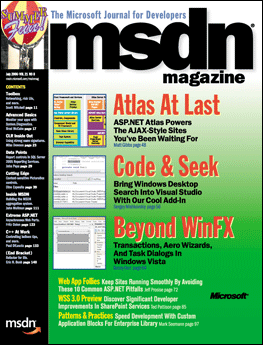
My latest article: Keep It Simple - Create a Web-based RSS Reader Using ASP.NET 2.0, was published in the Aug 06 issue of ASP.NET Pro magazine. Using the many new features in ASP.NET 2.0, I demonstrated how to create a Web-based RSS reader.

Note: The online version is only available to subscribers.

Tuesday, July 25, 2006

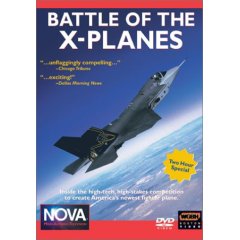
NOVA : Battle of the X-Planes (2002) DVD

If there is a DVD that I watched many times over and over, it must be the NOVA : Battle of the X-Planes (2002) DVD. I have always been facinated with fighter aircrafts, and this DVD detailed the making of the X-Planes (known as the JSF - Joint Strike Fighter, under development) - from Boeing and Lockheed Martin. From conception to test flights, this DVD has never failed to get me excited, and it always inspired me to write better articles and applications, just like the engineers from Boeing and Lockheed who worked tirelessly to perfect the next generation multirole fighter.

Though this DVD is a bit dated (2002), it still provides great insight into the design philosphopy of the JSF, now formally know as F35 Lightning II.

Saturday, July 22, 2006

ASP.NET 2.0. Zapiski programisty (in Polish)

I just received a copy of my Polish edition of ASP.NET 2.0: A Developer's Notebook. This is quite a surprise to me, and even though I don't understand a single Polish word, I am quite happy to see my work translated into different languages. ;-)

Monday, July 17, 2006

Get Your Code Flowing Faster with Windows WorkFlow Foundation

Activities, decisions, and rules often feel like constraints for human beings, but for applications they are the lifeblood of making things work. Windows Workflow Foundation presents a new programming paradigm that lets these declarative principles guide your coding.

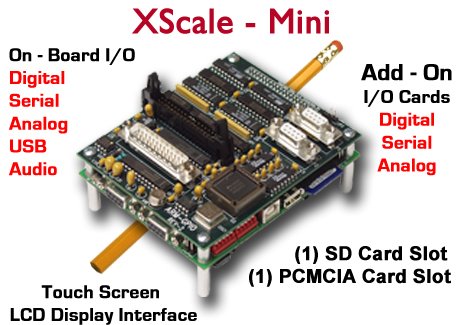
Embedded Computer Running Windows CE 5.0

If you are looking for a small embedded computer to control all your cool external electronic gadgets, be sure to check out the XScale-Mini by RLC. It contains an Intel XScale PXA270 RISC processor and comes with a variety of IO ports - USB, RS-232, analog inputs, stereo audio output, etc. More importantly, it runs the Windows CE 5.0 Operating System and comes with .NET Compact Framework 2.0 preinstalled, which means that you can write your applications using the familar VB or C# languages (using Visual Studio 2005). You can connect the XScale-Mini to an external touch-screen LCD and I can think of housing this in my car. Well, there are so many possibilities and I think you will have a lot more ideas. Check out the many boards on RLC's website and find one that suits your purpose. Did I mention that the XScale-Mni cost $749 (without the screen)?

Saturday, July 15, 2006

Adapter board for Parallel LCD displays - the X-board!

As I was looking at the product listing of Matrix Orbital, I stumbled across the X-board S-Series, a serial board that connects to parallel LCD displays! This is a simple but very useful board that allows you to connect your parallel LCD displays to a serial port on your computer. I have a few spare parallel LCD displays lying on my desk right now, and I will definitely going to get the X-board to try out. Finally, I can kiss my soldering iron good bye and focus on programming the LCD (well, not yet...I still have to solder the LCD pins to the X-board...). Sweet! For those concerned about the price, the X-board costs $24.95, which I think is a cool deal.

Parallel LCD Displays

In my previous post I mentioned about the Matrix Orbital Serial LCD display sold by Parallax. In actual fact, most LCD displays that you will encounter are actually parallel devices, not serials. The serial devices are those modified by manufacturers to make them easier to interface with PCs and microcontrollers. The advantage of parallel LCD displays is that they are cheap, with prices ranging from $14 onwards. In fact, I could find parallel LCD displays (without backlight) in my local (Singapore) hardware shop for as low as S$7 (~US$4.30). But the devil is in the details - parallel LCD are more difficult to wire and program. This is especially true in .NET, where there is still no managed classes to do parallel port programming. Nevertheless, if you are willing to pick up a soldering iron, you should be able to wire up a display to the parallel port. Programming it takes a bit of effort, provided you have the necessary APIs to write to parallel port. One good news, though, it that almost all of these displays uses the HD44780 chipset from Hitachi. Hence your application that talks to one LCD should likely work without problem with another LCD from another manufacturer.

Friday, July 14, 2006

Phidget RFID Reader (USB)

Nowadays not all computers have a serial port, and hence if you have a serial device you need to purchase a USB-to-Serial adapter. As I mentioned in my previous post, the Parallax RFID Reader Module uses a serial connection and hence you are out of luck if you do not have a serial port (or do not want to spend the extra money to buy an adapter). Fortunately, you have other choices - the Phidget RFID Reader is one of them. It is a read-only RFID reader that supports USB connections. Instead of reading the tag IDs through the serial port, it comes with an SDK that supports .NET. You just need to use the SDK in your .NET application and service the necessary events to retrieve the scanned tag ID. It comes with a slightly higher price tag, though, a complete kit (contains tags of various sizes) costs $79.25. Check out the kit here.

Special thanks to Matt Trossen and Jennie Jetter from Phidget for assisting me with the RFID reader!

Parallax RFID Reader Module (serial)

If you are interested in RFID and want to experiment with it, I strongly suggest you take a look at Parallax's RFID Reader Module. At $39, it is an affordable way for you to have fun with RFID. It is a read-only RFID Reader that reads tags up to 3 inches proximity. Connection-wise you need a serial cable (you need to convert the TTL interface to RS232 though) and when a tag is detected, it continuously sends the tag ID to your application.

I want to express my gratitude to Ryan Clarke (from Parallax) for his help in getting me started with the RFID reader module. He has been very patient in guiding an hardware-idiot (that's me) and for this I am very grateful to him! Thank you, Ryan!

4x20 Serial LCD with Keypad Interface

If you want to add some spice to your plain looking computer, you can add an external LCD display. The Parallax's 4x20 Serial LCD with Keypad Interface (manufactured by Matrix Orbital) is one such option. It supports a serial interface which can be connected to your computer serial port and programming it is pretty simple - use serial port programming in .NET and send the necessary commands (as byte arrays) to display strings and special characters. You can also programmatically switch off the backlight as well as adjust the contrast. This is one cool device that you need to have! It comes at a slightly high price, though, at $99.95.

Leverage the Power of the Smart Tag in Your Custom Controls

Learn how to increase your users' productivity by adding Smart Tag support to your custom control.

Creating Windows Starter Kits for Visual Studio 2005

Microsoft has put renewed energy into its Starter Kits for Visual Studio 2005, but did you know you can create your own Starter Kit and export it to .vsi to share with others? Find out how to build a book search Starter Kit using the Amazon Web service.

Saturday, July 08, 2006

Intro to Atlas: The Road to Effortless AJAX Begins Here

There's no reason to get lost with Atlas, Microsoft's framework for building fast, responsive AJAX-enabled Web apps. Get your bearings by following along as we build two introductory applications: a calendar and a content portal.

Thursday, June 22, 2006

Bulky Data Is No Problem Thanks to Compression/Decompression in .NET 2.0

If you never need to use compression for you applications, consider yourself lucky. For the rest of us, the good news is that .NET 2.0 has two new classes to handle compression and decompression streams. Find out when, and how, to use these valuable facilities.

Friday, June 09, 2006

Get a CPU Cooler for your Dual Core Processor

Today's CPU runs at such a high temperature that without a CPU cooler attached to the top of the CPU, you can be sure that the CPU will be fried within seconds of powering up. Recently, I got myself a new Intel Dual Core machine running at 3Ghz. The cooler that comes with the processor sounds like a vacuum cleaner when it is spining at full speed. The sound was unbearable, espeically if it is placed at home. Frustrated, I finally decided to replace the cooler with something that is quieter. And the Samurai Z CPU Cooler is the one I am happy to tell you that will solve the noise problem. Not only is it quiet, it is also easy to install. Unlike other coolers in the market where you have to remove the motherboard, you can simply unscrew the current cooler and replace it with the Samurai Z CPU Cooler. It has two heat pipes and so far the temperature of my CPU has been revolving around the 50-60 degrees C ballpark, which I understand is pretty good. With this improved cooling, I can now run Virtual Server 2005 with peace and quiet. Not a bad investment!

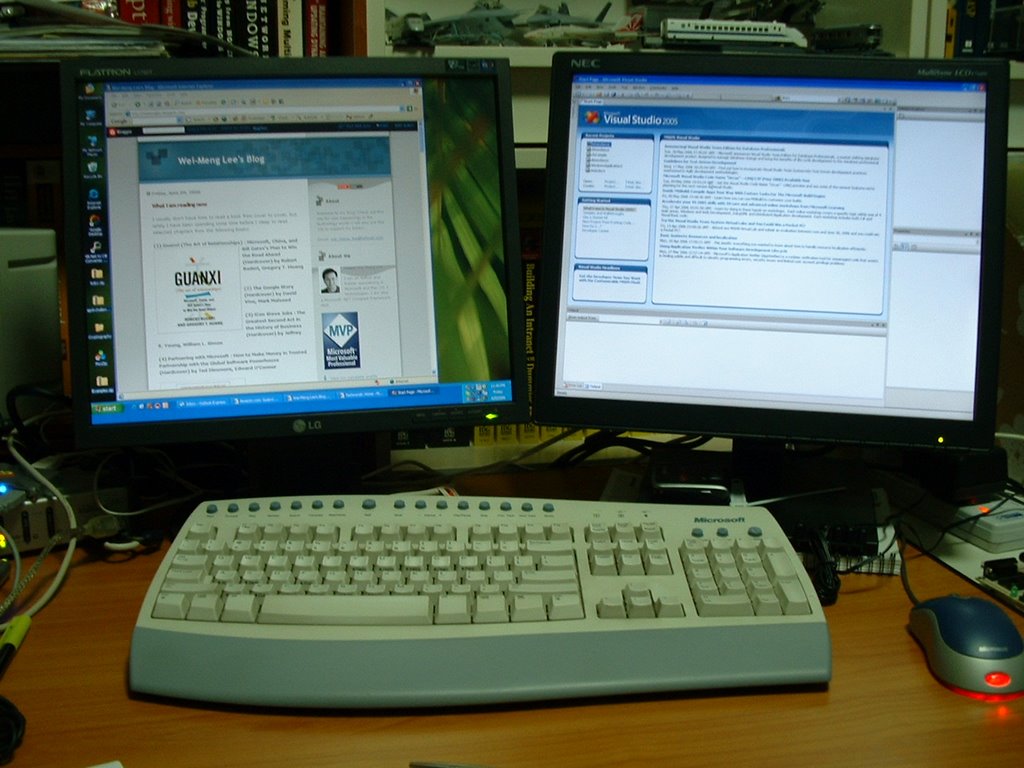
The Joy of Two Monitors!

I have always wanted a big monitor, preferably a 30" LCD monitor that can satisfy my needs to have several Visual Studio windows open. However, reality is always painful and I have to make do with whatever I have. Instead of chucking away my trusty NEC 17" LCD which I got two years ago, I got another one (a LG 17"LCD). Adding a new video card to my computer allows it to power the two monitors (one analog and one DVI). And since Windows XP/2003 supports multiple monitors, you can literally combine the two monitors into one large viewing area. And now I have 2560x1024 of viewing area! Believe me, once you have two monitors you will never go back to the old days. And I can now open two Visual Studio 2005 windows and edit two applications at the same time....saves me a lot of time in switching windows. Looks like the price for Dell's 30" LCD monitor is dropping... ;-)

What I am reading now

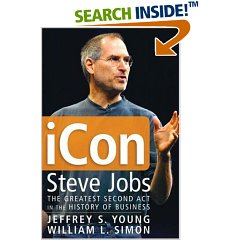
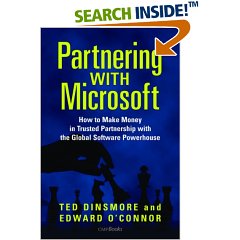
I usually don't have time to read a book from cover to cover, but lately I have been spending some time before I sleep to read selected chapters from the following books:

(1) Guanxi (The Art of Relationships) : Microsoft, China, and Bill Gates's Plan to Win the Road Ahead (Hardcover) by Robert Buderi, Gregory T. Huang

(2) The Google Story (Hardcover) by David Vise, Mark Malseed

(3) iCon Steve Jobs : The Greatest Second Act in the History of Business (Hardcover) by Jeffrey S. Young, William L. Simon

(4) Partnering with Microsoft : How to Make Money in Trusted Partnership with the Global Software Powerhouse (Hardcover) by Ted Dinsmore, Edward O'Connor

Create Setup Files for your Windows Mobile Applications Using Visual Studio 2005

Learning a simple series of steps in Visual Studio 2005 will make deploying applications to mobile devices a no-brainer from here on out. Follow along with this project, which includes step-by-step instructions, code, and a sample .ini file.

Raise Printing to a Fine Art in Windows Forms

Learn how to format, preview, and print output the way you want it to look using the capabilities of the .NET System.Drawing.Printing namespace and the PrintDocument class.

Add Fingerprint Scan-based Security to Your .NET Applications Today

It wasn't all that long ago that biometric authentication seemed like the kind of sci-fi technology that might never be practical outside of top-secret government laboratories. But believe it or not, you can build a fingerprint scanner into any .NET application you like just by following these simple instructions.

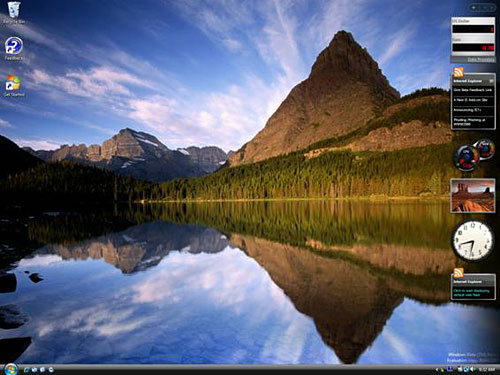
Windows Vista Beta 2 Up Close and Personal

Vista Beta 2 is finally out. What's good and what's bad? I take it for a test drive and gives you the full rundown. May. 30, 2006

Thursday, April 06, 2006

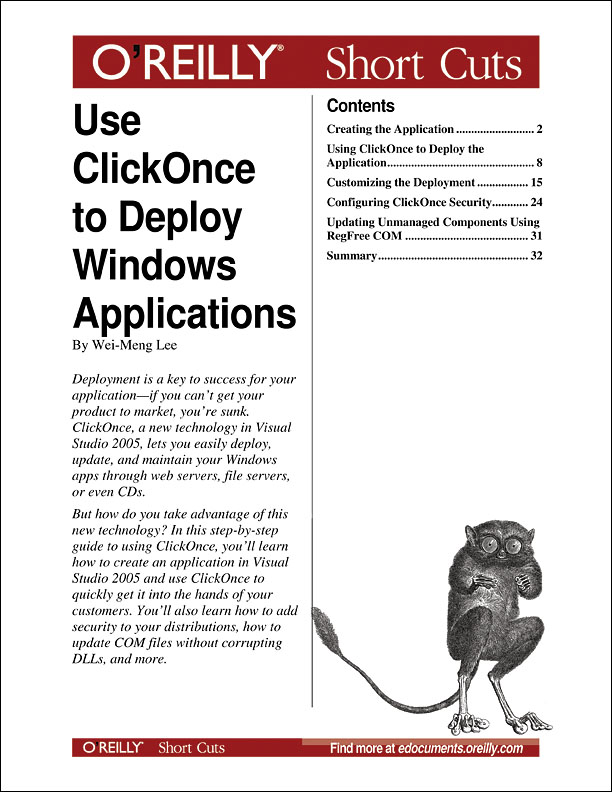
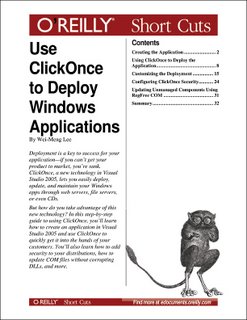
Launch of my new PDF book!

ClickOnce, a new technology in Visual Studio 2005, lets you quickly and easily deploy your Windows apps via web servers, file servers, or even CDs. But while ClickOnce delivers web-style deployment of your application, that's only part of the story. Once you've installed an application using ClickOnce, it can automatically check for new updates to the application, which saves time in application maintenance and upgrades. And on the security front, a ClickOnce application runs within a secure sandbox and you configure it using the Code Access Security model.

So, how can you take advantage of this new technology? In this step-by-step guide to using ClickOnce, you'll learn how to create an application in Visual Studio 2005 and how to use ClickOnce to quickly get it in the hands of your customers. You'll also learn how to add security to your distributions using Code Access Security; how to update COM files without corrupting DLLs; and more.

Download this PDF today for just $7.99 and discover how deploying your Windows app is just a click away.

Friday, March 24, 2006

My article featured in the Polymorphic Podcast

My latest aricle on CoDe magazine - An Overview of Windows Presentation Foundation, has been featured in the Polymorphic Podcast, a show about object oriented development, architecture and best practices in .NET. Listen to the Podcast at: http://www.polymorphicpodcast.com/shows/adonet2/.

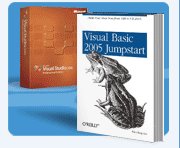
Get Visual Basic 2005 Jumpstart for Free!

Here is one way to get my book - Visual Basic 2005 Jumpstart, for free!

Just complete one Visual Basic E-Learning course and you will receive a free Visual Basic 2005 Discovery Pack.

Visual Studio 2005 Discovery Pack* includes:
  • Microsoft® Visual® Studio® 2005 Professional Edition 90-day DVD trial
  • Microsoft Visual Basic® 2005 Jumpstart book from O’Reilly
  • Discount voucher for Visual Studio 2005 Professional Edition with MSDN® Professional Subscription
  • Microsoft Developer Security Resource Kit
  • Discount voucher for Microsoft Certified Professional Exam
  • Free 30-day hosting account

*Offer good in the United States and Canada only through June 30, 2006, while supplies last.

Thursday, March 23, 2006

Programming Serial Ports Using Visual Basic 2005

While serial port programming was absent in .NET version 1.1, Visual Basic developers who grew accustomed to the MSCOMM control in VB6 will be glad to know that this functionality is supported again in .NET 2.0. Learn to use the SerialPort class to make two computers talk to one another or even to manipulate a mobile device from your computer using Bluetooth.

Tuesday, March 21, 2006

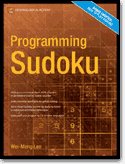
Programming Sudoku Released!

My latest book - Programming Sudoku (Apress) has just been published! Noticed that the cover has been revised from the earlier draft.

If you are a college or University professor teaching a beginning course in programming, you may like to take a look at this book and see if it is suitable as a textbook for teaching programming in a fun way. Simply send me an email (using your university email account) and briefly describe the courses you teach (or are going to teach) and I will get a review copy of the book sent to you for evaluation.

Inside Look: Internet Explorer 7, Beta 2

The long-awaited Beta 2 of IE 7 is finally here. What's new, good, and better? I give you a guided tour and an inside look in this article on WindowsDevCenter.com.

Using the MultiView and Wizard Controls in ASP.NET 2.0

Need to collect data from Web pages? ASP.NET 2.0 makes it easy, with the use of MultiView and Wizard controls. I show you how to take advantage of them in this article on WindowsDevCenter.com.

What’s New in Windows Forms 2.0: Part II

Here is the part 2 of my Windows Forms 2.0 article in ASP.NET Professional magazine.