Wednesday, September 06, 2006

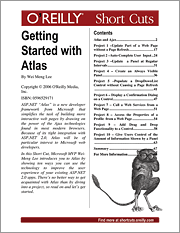
Getting Started with Atlas (Short Cuts) Released!

My newest "eBook" - Getting Started with Atlas, has just been released by O'Reilly. Here is the synopsis:

"ASP.NET "Atlas" is a new developer framework from Microsoft that simplifies the task of building more interactive web pages by drawing on the power of the Ajax technologies found in most modern browsers. Because of its tight integration with ASP.NET 2.0, Atlas will be of particular interest to Microsoft web developers.
In this Short Cut, Microsoft MVP Wei-Meng Lee introduces you to Atlas by showing ten ways you can use the technology to improve the user experience of your existing ASP.NET 2.0 apps. There's no better way to get acquainted with Atlas than by diving into a project, so read on and let's get started.
"

Buy it here for $9.99

Tuesday, September 05, 2006

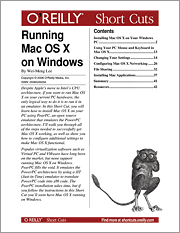
Running Mac OS X on Windows (Short Cuts) Released!

My latest "eBook" - Running Mac OS X on Windows, has just been released by O'Reilly. Here is the synopsis:

"For a long time, a lot of Windows users have been clamoring for the opportunity to run the Mac OS X operating system on their Windows PCs. As Mac OS X was designed to run on a different CPU architecture (PowerPC), running Mac OS X directly on Intel's CPU would not work. It wasn't until recently that PC users saw a ray of hope, when Apple announced that it was moving to Intel's CPU architecture and would hence port Mac OS X to run natively on Intel's x86 CPU architecture. However, the joy was short-lived, as Mac OS X can still run properly only on Apple's customized hardware, not commodity PCs that run Windows. (There are hacks to make Mac OS X run natively on PC hardware, but that is not the legal way to do it).

The only logical means of running Mac OS X on your current PC hardware is to run it in an emulator capable of emulating the PowerPC CPU architecture. While popular virtualization software programs like Virtual PC and VMware have been around in the market for a long time, none support running Mac OS X. Fortunately, an open source project, PearPC, makes it possible to run Mac OS X on Windows. PearPC is an architecture-independent PowerPC platform emulator. (It is released under the General Public License (GPL)-a freely used free software license.) PearPC emulates the PowerPC architecture by using a JIT (Just-in-Time) emulator to dynamically translate PowerPC code into x86 code.

In this Short Cut, you will learn how to install Mac OS X on your Windows PC using PearPC. I will walk you through all the steps needed to successfully get Mac OS X working, as well as configure additional settings to make Mac OS functional."

Buy it here for $7.99.

Monday, August 28, 2006

Create a Location Search Application Using the Microsoft Virtual Earth API

Microsoft's Virtual Earth exposes an API that will let you build map apps easily. Find out how to get started building this application that takes latitude and longitude inputs or does a general location search.

Using Amazon.com’s E-Commerce Web Service

Amazon's E-Commerce service is so popular for good reason. Learn how to build a simple Windows applications that will give you the foundation to do a whole lot more.

Using the Blogger ATOM API

To allow third-party applications to manage your blog, Blogger introduced the Blogger Atom API to allow programmers write applications that interact with Blogger programmatically.

Thursday, August 24, 2006

Execute a Long-Running Workflow Using Persistence in Windows WF

If you're experimenting with workflows it won't be long before you find that you need to run a workflow that is too long to execute directly from memory. A workflow that needs hours-or even days-to conclude requires you to persist the workflow instance to an external medium so that the workflow can be continued later.

Saturday, August 05, 2006

PING))) Ultrasonic Sensor

If you want to measure distance in your electronics project, I strongly recommend the PING))) ™ Ultrasonic sensor from Parallax. The PING)))™ sensor measures distance using sonar; an ultrasonic (well above human hearing) pulse is transmitted from the unit and distance-to-target is determined by measuring the time required for the echo return. Output from the PING)))™ sensor is a variable-width pulse that corresponds to the distance to the target.

Say tuned for instructions on how to connect the PING))) sensor to your .NET project! ;-)

Wednesday, August 02, 2006

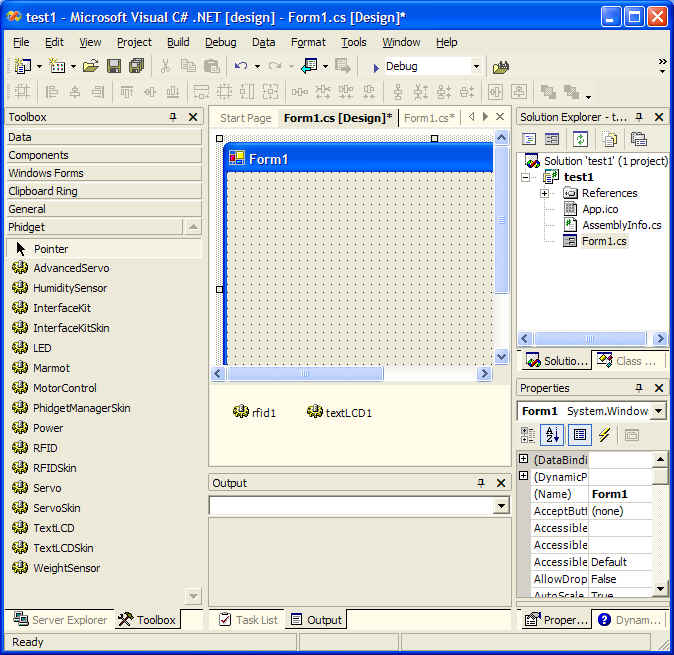
Using Phidgets Components in Visual Studio 2005

If you are using Phidgets parts in your hardware project and want to control them from within .NET, you should download the .NET wrapper for Phidgets from http://grouplab.cpsc.ucalgary.ca/software/Phidgets.NET/PhidgetSetup-alpha.msi. This download will install a set of controls in the ToolBox in VS 2005. You can then drag and drop the controls and use them like all other controls. More info here: http://grouplab.cpsc.ucalgary.ca/software/Phidgets.NET/

Programming Windows Mobile 5.0 Applications Using the .NET Compact Framework

Microsoft has recently launched the Windows Mobile 5.0 platform for Pocket PCs and Smartphones. With the proliferation of Windows Mobile-based devices in the marketplace, companies are gradually mobilizing their enterprising applications to let their staff gain the competitive mobile advantage. Check out my article on Windows Mobile 5 programming in the Sep/Oct issue of CoDe Magazine.

Monday, July 31, 2006

Discover a New Frontier for .NET Development: Program an LCD Display


Personal computers aren't the only place where applications can run. As we look toward the future, the possibilities are limitless for creating applications that manipulate other types of displays. Get started with this sample .NET application that controls an LCD display.

Sunday, July 30, 2006

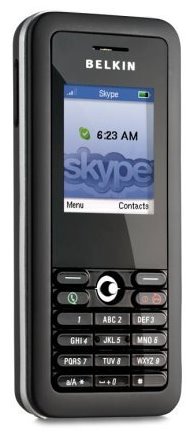
Belkin Wi-Fi Phone for Skype

Amazon.com is now taking pre-orders for the new Belkin Wi-Fi Phone for Skype. At $179.99, it seems to be a good buy. If you are a frequent traveller, this is one good gadget you should carry around, especially use it at airports where you can get free wireless Internet access.

Friday, July 28, 2006

Screencast - Data Binding to Forms Made Simple in .NET 2.0


This is my first attempt at creating a screen cast for TwoMinuteTips.com. The topic is Data binding. Hope you like my voice (still a bit awkward to hear my own voice ;-) )
Anyway, here is the synopsis:

"Data binding is one of the common tasks that developers working with data have to perform. In Windows Forms 2.0, the new BindingNavigator and BindingSource objects can save you a lot of effort in data binding.

This video shows you how to perform data-binding by dragging and dropping data sources onto your Windows Forms. In particular, you will see how you can easily bind your data source to a DataGridView control as well display detailed information of each individual record. "

Keep It Simple - Create a Web-based RSS Reader Using ASP.NET 2.0

My latest article: Keep It Simple - Create a Web-based RSS Reader Using ASP.NET 2.0, was published in the Aug 06 issue of ASP.NET Pro magazine. Using the many new features in ASP.NET 2.0, I demonstrated how to create a Web-based RSS reader.

Note: The online version is only available to subscribers.

Tuesday, July 25, 2006

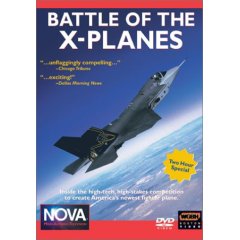
NOVA : Battle of the X-Planes (2002) DVD

If there is a DVD that I watched many times over and over, it must be the NOVA : Battle of the X-Planes (2002) DVD. I have always been facinated with fighter aircrafts, and this DVD detailed the making of the X-Planes (known as the JSF - Joint Strike Fighter, under development) - from Boeing and Lockheed Martin. From conception to test flights, this DVD has never failed to get me excited, and it always inspired me to write better articles and applications, just like the engineers from Boeing and Lockheed who worked tirelessly to perfect the next generation multirole fighter.

Though this DVD is a bit dated (2002), it still provides great insight into the design philosphopy of the JSF, now formally know as F35 Lightning II.

Saturday, July 22, 2006

ASP.NET 2.0. Zapiski programisty (in Polish)

I just received a copy of my Polish edition of ASP.NET 2.0: A Developer's Notebook. This is quite a surprise to me, and even though I don't understand a single Polish word, I am quite happy to see my work translated into different languages. ;-)

Monday, July 17, 2006

Get Your Code Flowing Faster with Windows WorkFlow Foundation

Activities, decisions, and rules often feel like constraints for human beings, but for applications they are the lifeblood of making things work. Windows Workflow Foundation presents a new programming paradigm that lets these declarative principles guide your coding.

Embedded Computer Running Windows CE 5.0

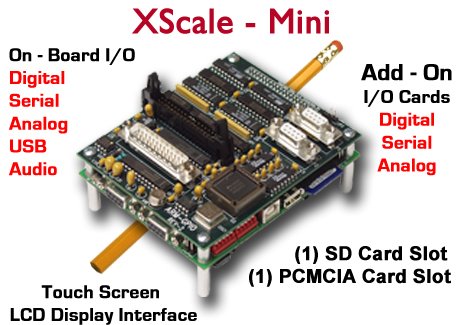
If you are looking for a small embedded computer to control all your cool external electronic gadgets, be sure to check out the XScale-Mini by RLC. It contains an Intel XScale PXA270 RISC processor and comes with a variety of IO ports - USB, RS-232, analog inputs, stereo audio output, etc. More importantly, it runs the Windows CE 5.0 Operating System and comes with .NET Compact Framework 2.0 preinstalled, which means that you can write your applications using the familar VB or C# languages (using Visual Studio 2005). You can connect the XScale-Mini to an external touch-screen LCD and I can think of housing this in my car. Well, there are so many possibilities and I think you will have a lot more ideas. Check out the many boards on RLC's website and find one that suits your purpose. Did I mention that the XScale-Mni cost $749 (without the screen)?

Saturday, July 15, 2006

Adapter board for Parallel LCD displays - the X-board!

As I was looking at the product listing of Matrix Orbital, I stumbled across the X-board S-Series, a serial board that connects to parallel LCD displays! This is a simple but very useful board that allows you to connect your parallel LCD displays to a serial port on your computer. I have a few spare parallel LCD displays lying on my desk right now, and I will definitely going to get the X-board to try out. Finally, I can kiss my soldering iron good bye and focus on programming the LCD (well, not yet...I still have to solder the LCD pins to the X-board...). Sweet! For those concerned about the price, the X-board costs $24.95, which I think is a cool deal.

Parallel LCD Displays

In my previous post I mentioned about the Matrix Orbital Serial LCD display sold by Parallax. In actual fact, most LCD displays that you will encounter are actually parallel devices, not serials. The serial devices are those modified by manufacturers to make them easier to interface with PCs and microcontrollers. The advantage of parallel LCD displays is that they are cheap, with prices ranging from $14 onwards. In fact, I could find parallel LCD displays (without backlight) in my local (Singapore) hardware shop for as low as S$7 (~US$4.30). But the devil is in the details - parallel LCD are more difficult to wire and program. This is especially true in .NET, where there is still no managed classes to do parallel port programming. Nevertheless, if you are willing to pick up a soldering iron, you should be able to wire up a display to the parallel port. Programming it takes a bit of effort, provided you have the necessary APIs to write to parallel port. One good news, though, it that almost all of these displays uses the HD44780 chipset from Hitachi. Hence your application that talks to one LCD should likely work without problem with another LCD from another manufacturer.

Friday, July 14, 2006

Phidget RFID Reader (USB)

Nowadays not all computers have a serial port, and hence if you have a serial device you need to purchase a USB-to-Serial adapter. As I mentioned in my previous post, the Parallax RFID Reader Module uses a serial connection and hence you are out of luck if you do not have a serial port (or do not want to spend the extra money to buy an adapter). Fortunately, you have other choices - the Phidget RFID Reader is one of them. It is a read-only RFID reader that supports USB connections. Instead of reading the tag IDs through the serial port, it comes with an SDK that supports .NET. You just need to use the SDK in your .NET application and service the necessary events to retrieve the scanned tag ID. It comes with a slightly higher price tag, though, a complete kit (contains tags of various sizes) costs $79.25. Check out the kit here.

Special thanks to Matt Trossen and Jennie Jetter from Phidget for assisting me with the RFID reader!

Parallax RFID Reader Module (serial)

If you are interested in RFID and want to experiment with it, I strongly suggest you take a look at Parallax's RFID Reader Module. At $39, it is an affordable way for you to have fun with RFID. It is a read-only RFID Reader that reads tags up to 3 inches proximity. Connection-wise you need a serial cable (you need to convert the TTL interface to RS232 though) and when a tag is detected, it continuously sends the tag ID to your application.

I want to express my gratitude to Ryan Clarke (from Parallax) for his help in getting me started with the RFID reader module. He has been very patient in guiding an hardware-idiot (that's me) and for this I am very grateful to him! Thank you, Ryan!

4x20 Serial LCD with Keypad Interface

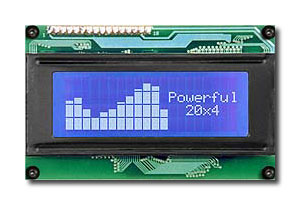
If you want to add some spice to your plain looking computer, you can add an external LCD display. The Parallax's 4x20 Serial LCD with Keypad Interface (manufactured by Matrix Orbital) is one such option. It supports a serial interface which can be connected to your computer serial port and programming it is pretty simple - use serial port programming in .NET and send the necessary commands (as byte arrays) to display strings and special characters. You can also programmatically switch off the backlight as well as adjust the contrast. This is one cool device that you need to have! It comes at a slightly high price, though, at $99.95.

Leverage the Power of the Smart Tag in Your Custom Controls

Learn how to increase your users' productivity by adding Smart Tag support to your custom control.

Creating Windows Starter Kits for Visual Studio 2005

Microsoft has put renewed energy into its Starter Kits for Visual Studio 2005, but did you know you can create your own Starter Kit and export it to .vsi to share with others? Find out how to build a book search Starter Kit using the Amazon Web service.

Saturday, July 08, 2006

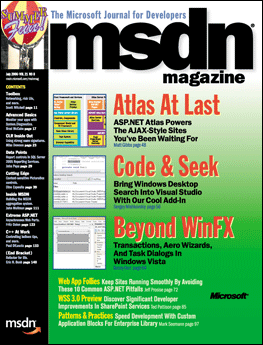
Intro to Atlas: The Road to Effortless AJAX Begins Here

There's no reason to get lost with Atlas, Microsoft's framework for building fast, responsive AJAX-enabled Web apps. Get your bearings by following along as we build two introductory applications: a calendar and a content portal.

Thursday, June 22, 2006

Bulky Data Is No Problem Thanks to Compression/Decompression in .NET 2.0

If you never need to use compression for you applications, consider yourself lucky. For the rest of us, the good news is that .NET 2.0 has two new classes to handle compression and decompression streams. Find out when, and how, to use these valuable facilities.

Friday, June 09, 2006

Get a CPU Cooler for your Dual Core Processor

Today's CPU runs at such a high temperature that without a CPU cooler attached to the top of the CPU, you can be sure that the CPU will be fried within seconds of powering up. Recently, I got myself a new Intel Dual Core machine running at 3Ghz. The cooler that comes with the processor sounds like a vacuum cleaner when it is spining at full speed. The sound was unbearable, espeically if it is placed at home. Frustrated, I finally decided to replace the cooler with something that is quieter. And the Samurai Z CPU Cooler is the one I am happy to tell you that will solve the noise problem. Not only is it quiet, it is also easy to install. Unlike other coolers in the market where you have to remove the motherboard, you can simply unscrew the current cooler and replace it with the Samurai Z CPU Cooler. It has two heat pipes and so far the temperature of my CPU has been revolving around the 50-60 degrees C ballpark, which I understand is pretty good. With this improved cooling, I can now run Virtual Server 2005 with peace and quiet. Not a bad investment!

The Joy of Two Monitors!

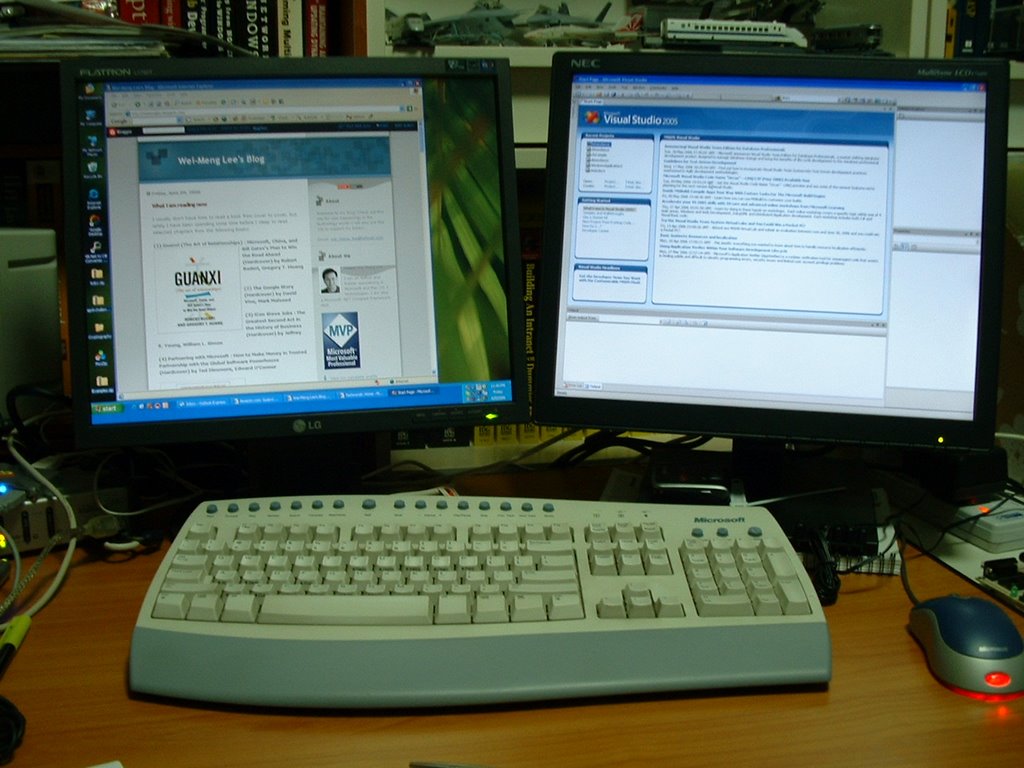
I have always wanted a big monitor, preferably a 30" LCD monitor that can satisfy my needs to have several Visual Studio windows open. However, reality is always painful and I have to make do with whatever I have. Instead of chucking away my trusty NEC 17" LCD which I got two years ago, I got another one (a LG 17"LCD). Adding a new video card to my computer allows it to power the two monitors (one analog and one DVI). And since Windows XP/2003 supports multiple monitors, you can literally combine the two monitors into one large viewing area. And now I have 2560x1024 of viewing area! Believe me, once you have two monitors you will never go back to the old days. And I can now open two Visual Studio 2005 windows and edit two applications at the same time....saves me a lot of time in switching windows. Looks like the price for Dell's 30" LCD monitor is dropping... ;-)

What I am reading now

I usually don't have time to read a book from cover to cover, but lately I have been spending some time before I sleep to read selected chapters from the following books:

(1) Guanxi (The Art of Relationships) : Microsoft, China, and Bill Gates's Plan to Win the Road Ahead (Hardcover) by Robert Buderi, Gregory T. Huang

(2) The Google Story (Hardcover) by David Vise, Mark Malseed

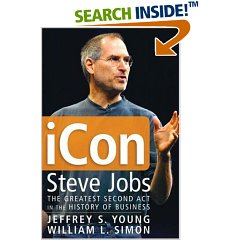
(3) iCon Steve Jobs : The Greatest Second Act in the History of Business (Hardcover) by Jeffrey S. Young, William L. Simon

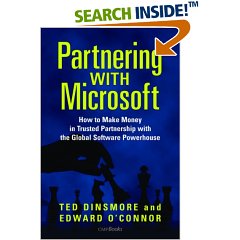
(4) Partnering with Microsoft : How to Make Money in Trusted Partnership with the Global Software Powerhouse (Hardcover) by Ted Dinsmore, Edward O'Connor