Monday, August 27, 2007

Want to build your own phone applications?

Have you ever used SMS messages for voting, say, in a singing competition? Or perhaps you have recently sent SMS messages to donate to a charity show? If you wonder how all these SMS voting systems work, be sure to join us in the upcoming Windows Mobile 5.0 Programming course.

In this two-day workshop, you will build a SMS Manager application that allows you to use SMS message for voting purposes. This application is useful in scenarios where you need to collect feedback from users realtime, and is very useful in places like lecture threatres where you want to encourage students' participations.

In addition, you will also build a Call Manager application. The Call Manager allows you to disable your phone calls when you are driving or in a meeting and automatically sends a message to inform the caller that you are unable to take the call (if it is your boss calling, send him/her a message that you are now very busy with work to take his/her call!).

If you have a Windows Mobile 5.0 phone edition device and want to know what are the things you can do to make it more useful (well, build the applications yourself!), join us this Sep 20th and 21st. For more information, contact me at weimenglee@learn2develop.net.

Register now and get a free 2GB USB flash drive!


Trying to find an international phone? Getting global phones can be difficult, especially when you are traveling around the world. Next time you want a satellite phone rental looking on the Internet could help.

Saturday, August 18, 2007

Preorder the new PSP from Amazon.com!

Amazon.com is now taking orders for the new slimmer PSP that is scheduled to be launched in Sep. At the price of US$169.99, it seems like a good deal! I am no particular fan of games, but I am buying one for podcasts and RSS feeds. Click here to pre-order yours today. ;-)

Thursday, August 02, 2007

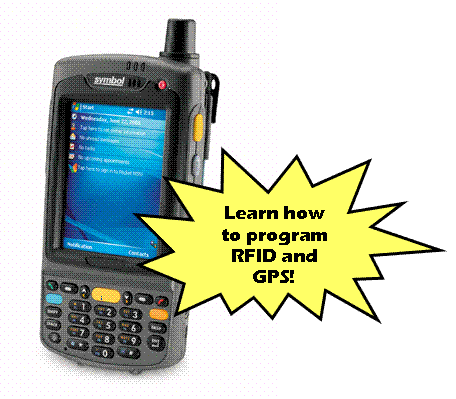
Try out the MC35 at the Windows Mobile 5.0 course

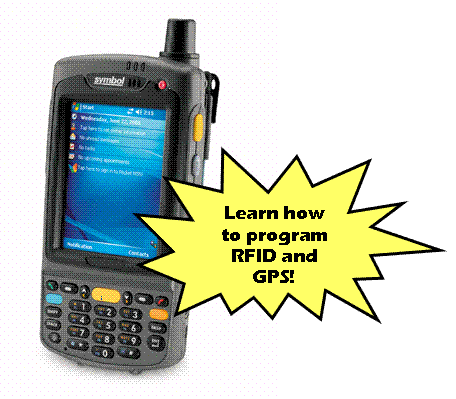
I am delighted to announce that Symbol (Motorola) has kindly agreed to loan a couple of MC35 to me. ;-) That means that if you have already signed up for the 16, 17th Aug run of the Windows Mobile 5.0 programming course, you would have a chance to try out first hand how well your application performs on it. If you have not signed up for the course, there is still time for the 20, 21 Sep run of the course. Download the application forms here.

* Symbol has traditionally been a leader in the enterprise mobility market, but with the launch of the MC35, they are sure looking at the pro-sumers market (e.g. managers and professionals). The MC35 has a slim footprint and comes with a built-in camera that changes into a barcode reader with the flick of a switch.

Friday, July 20, 2007

Course - Windows Mobile 5.0 Pocket PC Programming using the .NET Compact Framework 2.0

Synopsis
This course will introduce to participants the various techniques to program their Windows Mobile 5.0 Pocket PC devices. Far from being an introductory course, this feature-packed course will show you how to interface with external devices, communicate wirelessly with other devices, as well as access the data of built-in applications (such as Contacts, Outlook Mobile, and Calendar) from within your own.

Day 1 (Fundamentals)
· Introduction to Windows Mobile 6 development (NEW)
· Building Screen Orientation and Resolution Aware Applications
· File I/O
· Integrating with Contacts and Outlook Mobile
· Integrating with Calendar
· Integrating Telephony Functions
· Using Web Services
· Transferring Binary Data using Web Services
· Database Access using SQL Server Mobile Edition
· Remote Data Access using SQL Server Mobile Edition

Day 2 (Advanced)
· Using the Built-in Camera
· Intercepting Incoming SMS Messages
· Capturing Signature on the Pocket PC
· Location-Aware Using GPS (Serial Port)
· RFID
· Imaging (Using the Symbol SDK)
· Barcode Scanning (Using the Symbol SDK)
· Barcode Scanning (Using the Built-in Camera)
· Infrared Programming
· Monitoring System States and Sockets Communications
· Bluetooth Printing
· Deploying Pocket PC Applications
· Using the Magnetic Card Reader

Date
· Time: 9am to 5pm daily
· 20th (Thur) and 21st (Fri) Sep 2007
· Closing date for registration: 7th Sep 2007.

Course Fees
· $798
· To qualify for Early Bird Discount, register before 16h Aug and receive a $200 discount ($598 after discount)
· Inclusive of 1 lunch and 2 tea breaks for each day

Venue
Motorola Enterprise Mobility Business
230 Victoria Street #12-06/10
Bugis Junction Office Tower
Singapore 188024

Course - Developing Rich Interactive Applications (RIA) using Microsoft Silverlight

Course Synopsis
One of the latest buzzwords you often hear nowadays is RIA, or Rich Internet Applications. Rich Internet applications (RIA) are Web applications that have the features and functionality of traditional desktop applications. To Microsoft, RIA stands for Rich Interactive Applications, which is really their main focus when they recently announced the latest product known as Silverlight.


Microsoft® Silverlight is a cross-browser, cross-platform plug-in for delivering the next generation of .NET based media experiences and rich interactive applications for the Web. Silverlight offers a flexible programming model that supports AJAX, VB, C#, Python, and Ruby, and integrates with existing Web applications. Silverlight supports fast, cost-effective delivery of high-quality video to all major browsers running on Mac OS X or Windows.

In this 2-day jumpstart course, participants will learn the basics of Silverlight and get jumpstarted on developing compelling RIA applications using Silverlight 1.0 and 1.1.

Day 1 (Silverlight 1.0)
* Understanding XAML
* Using the Canvas object
* Drawing and Painting
* Graphics programming
* Manipulating images
* Manipulating text
* Manipulating media
* Animations

Day 2 (Silverlight 1.1)
* Building Dynamic UI with Silverlight
* Networking in Silverlight
* Interacting with HTML Programmatically
* XML Programming
* Persisting Data

Date
* Time: 9am to 5pm daily
* 1st (Mon) – 2nd (Tue) Oct 2007
* Closing date for registration: 7st Sep 2007

Course Fees
* $798
* To qualify for Early Bird Discount, register before 16h Aug and receive a $200 discount ($598 after discount)Inclusive of 1 lunch and 2 tea breaks for each day

Venue
HDB Learning Center
HDB Hub
480 Lorong 6, Toa Payoh
Singapore 310480

Friday, July 06, 2007

Incorporating Help into Your Windows Applications

How much effort do you put into ensuring that your users get all the help they need? You probably strive to design a user-friendly user interface, but do you provide any avenue for your users to get help when they are stuck? This article will show you how!

Spice Up Your SMS Chat on the Pocket PC

Did you know you can change the way your device represents your SMS messages? Learn how to program your messages to appear visually, complete with photos of the participants.

Saturday, June 23, 2007

Adding Smart Tags to Windows Forms Controls

One new features in Visual Studio 2005 is the support for smart tags. A smart tag is a panel that displays next to a control and contains a list of commonly used properties. Check out this new article!

Write Your Own Windows Services

If you're using Windows, you're no stranger to Windows services, but do you know how to write one of your own? In this article, you'll learn not only how to build your own Windows service, but how to build a client with which to control it.

Saturday, June 16, 2007

GPS data logger

Finally, a GPS receiver that doubles up as a GPS data logger. QStarz has just introduced the "Double 32® Bluetooth GPS Travel Recorder" GPS receiver that can log the coordinates and then offload to a PC. This is the idea that I was talking about in my MEDC presentation and would be very useful for fleet management as well as geo-tagging applications. Best of all, it is set to cost about US$119. Time to buy a new GPS receiver!

Sunday, June 10, 2007

Some Frequently Asked Questions (FAQ) About My Courses

I received quite a number of questions pertaining to the Windows Mobile 5.0 Programming course this Aug (16th and 17th). I have reproduced them here for your convenience just in case you have the same questions in mind:

Do I need to bring my own Pocket PC device for the course?
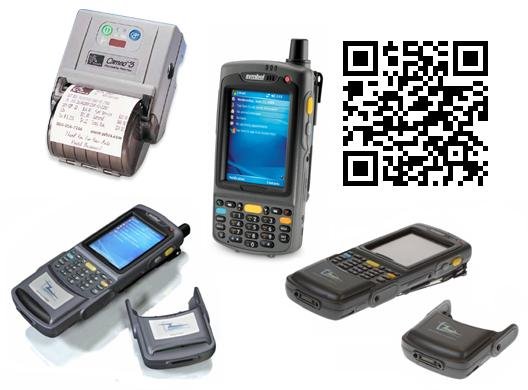
No, Pocket PCs will be provided (you have to share them though). Symbol will be providing 10 units of the MC70 for testing purpose, as well as other accessories such as RFID snap-ons, GPS receiver, as well as Zebra Bluetooth Printers. However, please feel free to bring your own device if you want to see how the sample apps run on your own device.

I have a older Windows Mobile 2003 PPC. Is this course applicable?
While this course is focused on Windows Mobile 5.0, there are some examples that will work on older PPCs. For example, the SerialPort class is new in .NET CF 2.0 and hence it is not tied to the Windows Mobile 5.0 platform, and therefore will work on older PPCs.

How is your course different from others?
If you have attended my course before, you would know that I am a great believer of learning-by-doing. And hence my course is focused extensively on hands-ons. I don't believe in spending lots of time on slides, explaining all the details of a class/methods. For that, you can really read a book or documentation.

I believe that the best way to learn programming is to actually type in the code, debug it, fix it and then seeing the end result yourself. In fact, I encourage my students to make as much mistakes as possible so that the concepts really sink in into their heads (this is actually how I learn new technologies; and in fact the best way to learn a new technology is to write a book! :-)).

And of course, the key ingredient to a good course is the course materials/workbook. For all my courses, I use materials that I develop myself. Each lab exercises contains simple and practical demos that you can modify and use for your own projects. I do not believe in huge and complicated examples/case studies that require you to start in Day 1 and complete in Day 5. As far as possible, each lab exercise is stand-alone so that students who did not manage to follow earlier labs (either they are late or the topics are just not relevant to them) can follow the rest of the course without feeling lost. In fact, I eat my own dog-food - I always refer to my own course materials when I am working on projects and needed to quickly locate a code-snippet to accomplish some functions, such as how to serialize a class, encrypt some text strings, access database, etc.

That said, do send in your questions if you have any. Cheers!

Friday, June 08, 2007

MEDC 2007 Singapore Slides Uploaded

You can now download my slide decks for the two sessions I presented at MEDC 2007 Singapore on 8th June 2007. Enjoy! Download all decks here.

[Updates] You can find the source code for the two presentations at here (SideShow) and here (Windows Mobile). These two are temporary locations until I find a permanent home for them. :-)

In addition, the application forms for the MCTS Prep Classes and the Windows Mobile 5.0 Programming Course can be downloaded here.

Managing Printing in Your .NET Application

The .NET Framework makes it easy to support printing. In this article, Wei-Meng Lee shows you the basics of printing in .NET 2.0, including how to configure page setup, print multiple pages, preview a document before it is printed, as well as let users select a printer to which to print. May. 15, 2007

Using the Cryptography APIs in .NET

The .NET framework contains a number of cryptography services that allow you to incorporate security services into your .NET applications. In this article, Wei-Meng Lee shows you how to use some of the common security APIs to make your .NET applications more secure. May. 22, 2007

Cool New Tools in Windows Mobile 6

While it may be some time before you can get your hands on a Windows Mobile 6 device, this early look at the Windows Mobile 6 SDK reveals some of the new tools and utilities you'll be using soon.

Personalization with Application Settings in Visual Basic

Application Settings is a new feature in Windows Forms 2.0 that allows you to maintain both user- and application-specific data (known as settings). Find out how to use it to improve your application's usability with personalization--this time in Visual Basic.

Wednesday, June 06, 2007

See you at MEDC Singapore 2007 this Fri (8th June)

Come and join us at MEDC 2007 this Fri (8th June) at Suntec City (http://www.microsoft.com/singapore/events/medc/default.mspx). I will be presenting two sessions - one on Windows Mobile 5.0 Network Programming and another one on Programming Vista SideShow Gadgets. If you are there, please come up and say hi!

I will be posting my slides up in my blog after the event. Hence, watch this space for the latest updates.

Tuesday, May 15, 2007

Bluetooth Barcode Scanner - Cut the Cord!

For a long time, I was looking for a good and reliable wireless barcode scanner that would allow me to scan my library of books without needing to lug around my notebook. Once the barcodes (ISBN) of the books are scanned they can then be offloaded in bulk to my PC. I then automate the cataloging process by calling the Amazon.com Web service. The Symbol LS4278 fits the bill perfectly. The Symbol LS4278 is a Bluetooth Class 2 device that supports the Serial Port and HID profiles. One of the scenarios is using it in a warehouse environment where you need to run about scanning all the barcodes. When you are back in your office, you can then transfer the collected barcodes wirelessly (through Bluetooth) to your PC.

I will be showing how to interface the LS4278 scanner with your .NET application in the Aug run of the Windows Mobile 5.0 Programming course.

Friday, May 04, 2007

Device Simulator for Windows SideShow

Microsoft has made the SideShow Simulator available as an download for those of you who want to experience SideShow but without the necessary hardware. Previously, you have to install the Windows Vista SDK in order to run the SideShow Simulator. But now, you can simply download it as a standalone version.

Check it out today!

Saturday, April 28, 2007

Displaying Master-Details Relationships in ASP.NET 2.0

One of the common tasks in manipulating databases is displaying master-details relationships. In this article, I will show how you can use the GridView and DetailsView controls to display records in the authors and titles tables.

Thursday, April 19, 2007

Windows Mobile 5.0 Pocket PC Programming using the .NET Compact Framework 2.0 - 16th, 17th Aug 2007


NEW TOPICS ADDED!
* An overview of Microsoft's New Windows Mobile 6 * Introduction to Windows Mobile 6 Standard Programming (previously known as SmartPhone) *

I am happy to announce the next run of the Windows Mobile 5.0 Programming course! After much considerations and planning, the dates are set on the 16th and 17th Aug 2007 (Thurs and Fri). This time round, I am adding one day (optional day) of introductory topics so that beginners can get a jumpstart on the basics before they embark on more advanced topics. If you have missed the first run of the course in May, this is a good time for you to register now. Details below:

Download the registration form here.

Synopsis
This course will introduce to participants the various techniques to program their Windows Mobile 5.0 Pocket PC devices. Far from being an introductory course, this feature-packed course will show you how to interface with external devices, communicate wirelessly with other devices, as well as access the data of built-in applications (such as Contacts, Outlook Mobile, and Calendar) from within your own.

What you will learn
Day 1 (Introductory Topics)

* Using Visual Studio 2005 for Windows Mobile 5.0 Programming
* Obtaining the relevant SDKs
* Introduction to Windows Mobile 6 (NEW)
* Introduction to Windows Mobile 6 Standard (aka SmartPhone) Programming (NEW)
* Creating your first Windows Mobile application
* How to access the information of your contacts in Contacts
* How to integrate telephony functions into your application
* Data access and data-binding
* Using Web Services

Day 2 (Advanced Topics)
* How to connect to serial devices (e.g. GPS, computers) using Bluetooth
* How to obtain geographical location information using a GPS
* How to send and receive SMS messages
* How to capture images using the built-in camera
* How to perform barcode scanning (1D and 2D barcode scanning)
* How to capture signature
* How to program the IrDA port
* How to connect to a remote computer using sockets programming
* How to program RFID
* How to print to a Bluetooth Printer

Date
* Time: 9am to 5pm daily
* Day 1 – 16th Aug 2007 (Thurs)
* Day 2 – 17th Aug 2007 (Fri)
* Closing date for registration: 16th July 2007

Course Fees

* Day 1 - S$399
* Day 2 - S$399
* To qualify for Early Bird Discount, register before 16th June and receive a $100 discount for each day ($299 after discount)
* Inclusive of 1 lunch and 2 tea breaks for each day

Tuesday, April 17, 2007

Use Windows Forms Application Settings to Personalize Your Applications

Application Settings is a new feature in Windows Forms 2.0 that allows you to maintain both user-specific and application-specific data (known as settings). Find out how to use it to improve your application's usability with personalization.

Sunday, April 08, 2007

Windows Mobile 5.0 Programming Course - Full house!

Due to overwhelming response, I would like to announce that the applications for the course is now closed. As much as I would like to accept all interested participants, we have run out of seats for the course and hence are not able to accept any further applications.

However, I am currently planning for the next run of the course and if you have some ideal dates that you would like me to consider, do send me an email at weimenglee@gmail.com.

Thanks for the interest and support! For those who have already signed up, I look forward to seeing you on the day of the course! It is going to be a fun day!

Friday, March 16, 2007

Practical .NET 2.0 Networking Projects Reviews

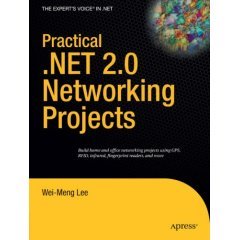
My latest book - Practical .NET 2.0 Networking Projects, was recently released and I am delighted with the reviews on Amazon.com. Here is one of them:

Reviewer: William A. Miller "Consultant" (Grand Rapids, MI)

"I found the book to be very solid. The chapters are divided up decently, and there is a ton of code listings in the book, although almost to the extent of to much. However, if you want to get a quick start on using any of the technologies such as fingerprint readers, GPS, and RFID this is a great primer. The author provides up to date examples, provides you references for the proper tools, and SDK's needed to complete the project. I built a fingerprint reading application based off his example for tracking visitors to the User Group meetings I attend. I've always wanted to know how to develop applications using external devices, but haven't had the time to dig in and research it. This book will give you a great starting point and will have a working application quickly. It is a fun book and will give you the basics on these technologies. One comment would be that it would have been nice to have at the beginning of each chapter/section a quick reference list for resources you will need. Also, since I typically jump ahead, I found that in the case of the fingerprint reader there was an issue when trying to add the control to the form and I spent sometime working through that on my own. Then I turned the page and the author has kindly put the resolution in a big gray box. Would have saved me a little time if I would have read that!"

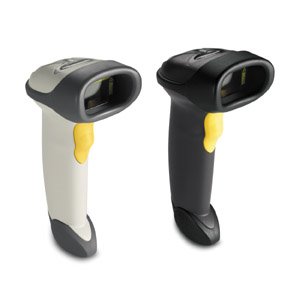
Looking for a barcode scanner? Get the LS2208

If you are looking for a barcode scanner for your use with your applications, look no further. The Symbol LS2208 is a laser barcode scanner that scans with surprisingly high accuracy.

Most of the time, you would want to use a barcode scanner as a quick alternative to keyboard input, and hence you need to configure the barcode scanner to act like a keyboard, passing in the scanned data into your computer just like a keyboard.

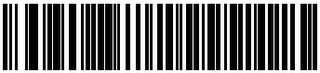
If you have just purchased a Symbol LS2208, simply print out the following barcode and scan it using the LS2208. Once the barcode is scanned, you can now use the LS2208 to scan barcodes directly into your application. For more configuration options, download the LS2208 manual, which can be found here.


Thursday, March 15, 2007

Roll Your Own SMS Gateway

You can do a lot of fun applications using an SMS gateway but unless you work for a major television network, good luck getting a return on your investment. In this article, we'll show you a great alternative to an expensive SMS gateway using a Pocket PC and a Bluetooth connection.

Saturday, March 10, 2007

Last chance to enjoy early-bird discount price of $299

This is your last chance to enjoy the early-bird discount price of $299 for the "Windows Mobile 5.0 Pocket PC Programming using the .NET Compact Framework 2.0 (Singapore - 11 May 2007)" workshop, if you register before 11th March 07. After this date, the course fee for this course will be $399.

The following new topics have been added:

  • QRCode generation and scanning

  • Bluetooth Printing

  • RFID reading and writing

  • IrDA programming
  • GPS programming


Download the registration form here.

Friday, March 09, 2007

Learn Windows Mobile 5.0 Programming at your place!

A number of readers wrote in indicating their interest in my Windows 5.0 Programming Course. However, the most common problem is that these people are located outside of Singapore (maybe this is the best excuse to tell your boss that you need to come to Singapore for a course ;-P). If you have sufficient number of participants, let me know and I would be able to fly to your country for in-house training. For pricing information, contact me at weimenglee@gmail.com

Saturday, March 03, 2007

Course Materials Translated into Japanese

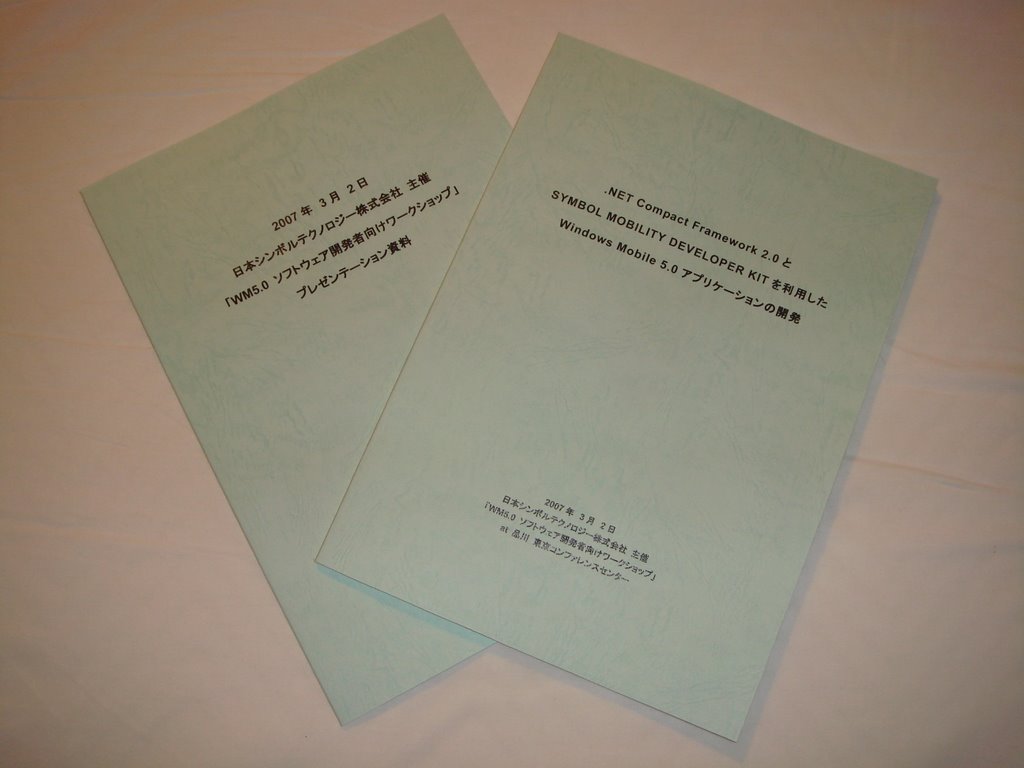
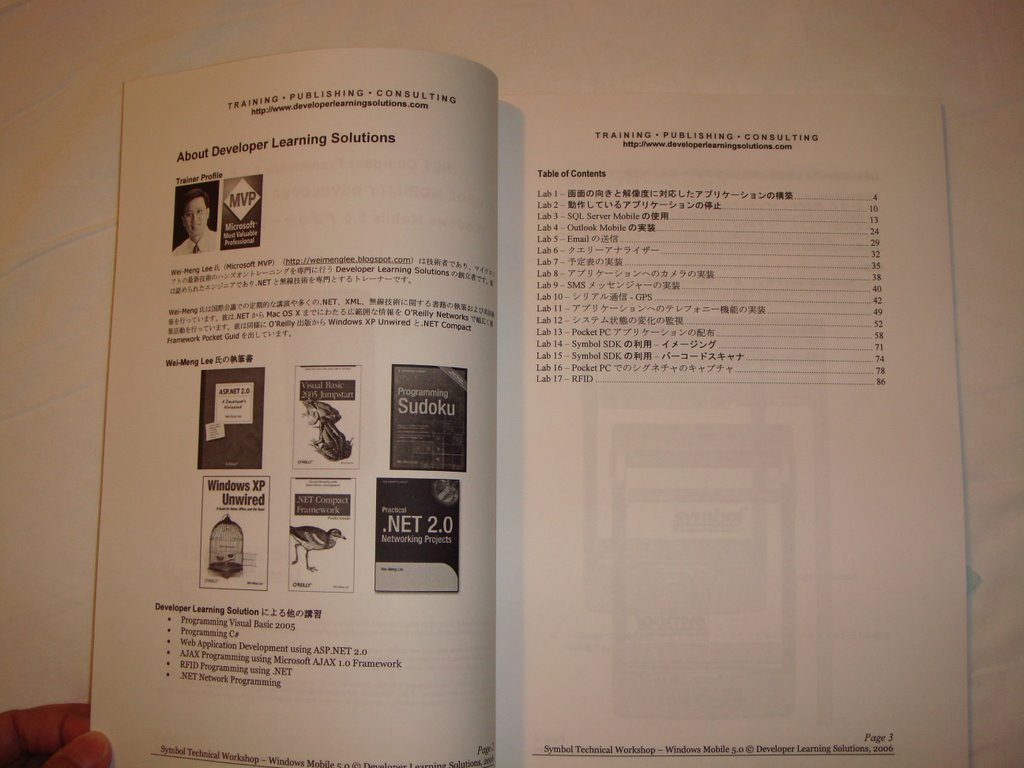
I just came back from Japan after co-running a Windows Mobile 5.0 Workshop with my Japanese counterpart. It was nice to see my course materials translated into Japanese, though I don't understand any Japanese at all. I hope to learn it one day, but for now, my priority is to learn my Chinese well! ;-)


Windows Vista SideShow Gadgets: Little Apps, Big Impact

Vista's SideShow feature supports auxiliary screen devices that can run applications even when the main computer is turned off, letting users read news, play games, or check their email without powering up the main computer. Check out this tutorial on what how to create Sideshow gadgets using Visual Studio 2005.