 One of the common tasks in manipulating databases is displaying master-details relationships. In this article, I will show how you can use the GridView and DetailsView controls to display records in the authors and titles tables.
Saturday, April 28, 2007
Displaying Master-Details Relationships in ASP.NET 2.0
One of the common tasks in manipulating databases is displaying master-details relationships. In this article, I will show how you can use the GridView and DetailsView controls to display records in the authors and titles tables.

Thursday, April 19, 2007
Windows Mobile 5.0 Pocket PC Programming using the .NET Compact Framework 2.0 - 16th, 17th Aug 2007
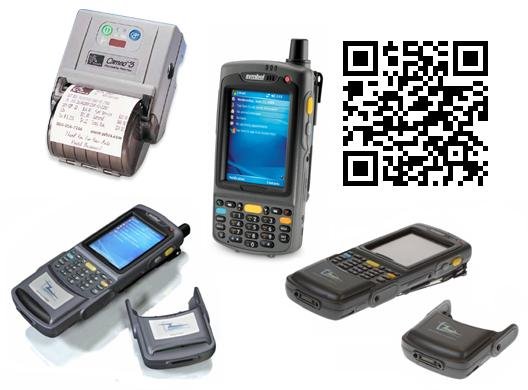
NEW TOPICS ADDED!
* An overview of Microsoft's New Windows Mobile 6 * Introduction to Windows Mobile 6 Standard Programming (previously known as SmartPhone) *
I am happy to announce the next run of the Windows Mobile 5.0 Programming course! After much considerations and planning, the dates are set on the 16th and 17th Aug 2007 (Thurs and Fri). This time round, I am adding one day (optional day) of introductory topics so that beginners can get a jumpstart on the basics before they embark on more advanced topics. If you have missed the first run of the course in May, this is a good time for you to register now. Details below:
Download the registration form here.
Synopsis
This course will introduce to participants the various techniques to program their Windows Mobile 5.0 Pocket PC devices. Far from being an introductory course, this feature-packed course will show you how to interface with external devices, communicate wirelessly with other devices, as well as access the data of built-in applications (such as Contacts, Outlook Mobile, and Calendar) from within your own.
What you will learn
Day 1 (Introductory Topics)
* Using Visual Studio 2005 for Windows Mobile 5.0 Programming
* Obtaining the relevant SDKs
* Introduction to Windows Mobile 6 (NEW)
* Introduction to Windows Mobile 6 Standard (aka SmartPhone) Programming (NEW)
* Creating your first Windows Mobile application
* How to access the information of your contacts in Contacts
* How to integrate telephony functions into your application
* Data access and data-binding
* Using Web Services
Day 2 (Advanced Topics)
* How to connect to serial devices (e.g. GPS, computers) using Bluetooth
* How to obtain geographical location information using a GPS
* How to send and receive SMS messages
* How to capture images using the built-in camera
* How to perform barcode scanning (1D and 2D barcode scanning)
* How to capture signature
* How to program the IrDA port
* How to connect to a remote computer using sockets programming
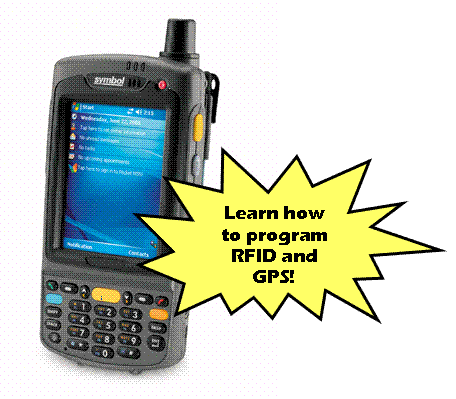
* How to program RFID
* How to print to a Bluetooth Printer
Date
* Time: 9am to 5pm daily
* Day 1 – 16th Aug 2007 (Thurs)
* Day 2 – 17th Aug 2007 (Fri)
* Closing date for registration: 16th July 2007
* Day 1 - S$399
* Day 2 - S$399
* To qualify for Early Bird Discount, register before 16th June and receive a $100 discount for each day ($299 after discount)
* Inclusive of 1 lunch and 2 tea breaks for each day

Tuesday, April 17, 2007
Use Windows Forms Application Settings to Personalize Your Applications
 Application Settings is a new feature in Windows Forms 2.0 that allows you to maintain both user-specific and application-specific data (known as settings). Find out how to use it to improve your application's usability with personalization.
Sunday, April 08, 2007
Windows Mobile 5.0 Programming Course - Full house!
 Due to overwhelming response, I would like to announce that the applications for the course is now closed. As much as I would like to accept all interested participants, we have run out of seats for the course and hence are not able to accept any further applications.
However, I am currently planning for the next run of the course and if you have some ideal dates that you would like me to consider, do send me an email at weimenglee@gmail.com.
Thanks for the interest and support! For those who have already signed up, I look forward to seeing you on the day of the course! It is going to be a fun day!
Friday, March 16, 2007
Practical .NET 2.0 Networking Projects Reviews
 My latest book - Practical .NET 2.0 Networking Projects, was recently released and I am delighted with the reviews on Amazon.com. Here is one of them:
 Reviewer: William A. Miller "Consultant" (Grand Rapids, MI)
"I found the book to be very solid. The chapters are divided up decently, and there is a ton of code listings in the book, although almost to the extent of to much. However, if you want to get a quick start on using any of the technologies such as fingerprint readers, GPS, and RFID this is a great primer. The author provides up to date examples, provides you references for the proper tools, and SDK's needed to complete the project. I built a fingerprint reading application based off his example for tracking visitors to the User Group meetings I attend. I've always wanted to know how to develop applications using external devices, but haven't had the time to dig in and research it. This book will give you a great starting point and will have a working application quickly. It is a fun book and will give you the basics on these technologies. One comment would be that it would have been nice to have at the beginning of each chapter/section a quick reference list for resources you will need. Also, since I typically jump ahead, I found that in the case of the fingerprint reader there was an issue when trying to add the control to the form and I spent sometime working through that on my own. Then I turned the page and the author has kindly put the resolution in a big gray box. Would have saved me a little time if I would have read that!"
Looking for a barcode scanner? Get the LS2208
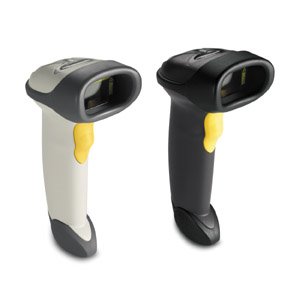 If you are looking for a barcode scanner for your use with your applications, look no further. The Symbol LS2208 is a laser barcode scanner that scans with surprisingly high accuracy.
Most of the time, you would want to use a barcode scanner as a quick alternative to keyboard input, and hence you need to configure the barcode scanner to act like a keyboard, passing in the scanned data into your computer just like a keyboard.
If you have just purchased a Symbol LS2208, simply print out the following barcode and scan it using the LS2208. Once the barcode is scanned, you can now use the LS2208 to scan barcodes directly into your application. For more configuration options, download the LS2208 manual, which can be found here.

Thursday, March 15, 2007
Roll Your Own SMS Gateway
 You can do a lot of fun applications using an SMS gateway but unless you work for a major television network, good luck getting a return on your investment. In this article, we'll show you a great alternative to an expensive SMS gateway using a Pocket PC and a Bluetooth connection.
Saturday, March 10, 2007
Last chance to enjoy early-bird discount price of $299
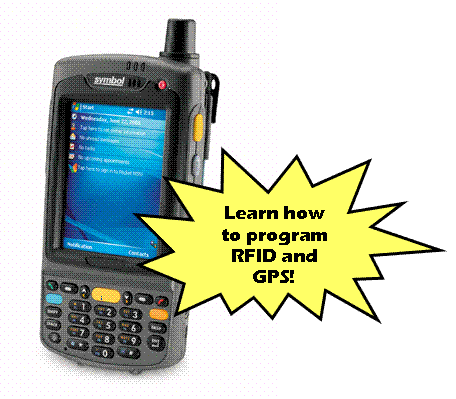 This is your last chance to enjoy the early-bird discount price of $299 for the "Windows Mobile 5.0 Pocket PC Programming using the .NET Compact Framework 2.0 (Singapore - 11 May 2007)" workshop, if you register before 11th March 07. After this date, the course fee for this course will be $399.
The following new topics have been added:
- QRCode generation and scanning
- Bluetooth Printing
- RFID reading and writing
- IrDA programming
- GPS programming
Download the registration form here.
Friday, March 09, 2007
Learn Windows Mobile 5.0 Programming at your place!
A number of readers wrote in indicating their interest in my Windows 5.0 Programming Course. However, the most common problem is that these people are located outside of Singapore (maybe this is the best excuse to tell your boss that you need to come to Singapore for a course ;-P). If you have sufficient number of participants, let me know and I would be able to fly to your country for in-house training. For pricing information, contact me at weimenglee@gmail.com
Saturday, March 03, 2007
Course Materials Translated into Japanese
 I just came back from Japan after co-running a Windows Mobile 5.0 Workshop with my Japanese counterpart. It was nice to see my course materials translated into Japanese, though I don't understand any Japanese at all. I hope to learn it one day, but for now, my priority is to learn my Chinese well! ;-)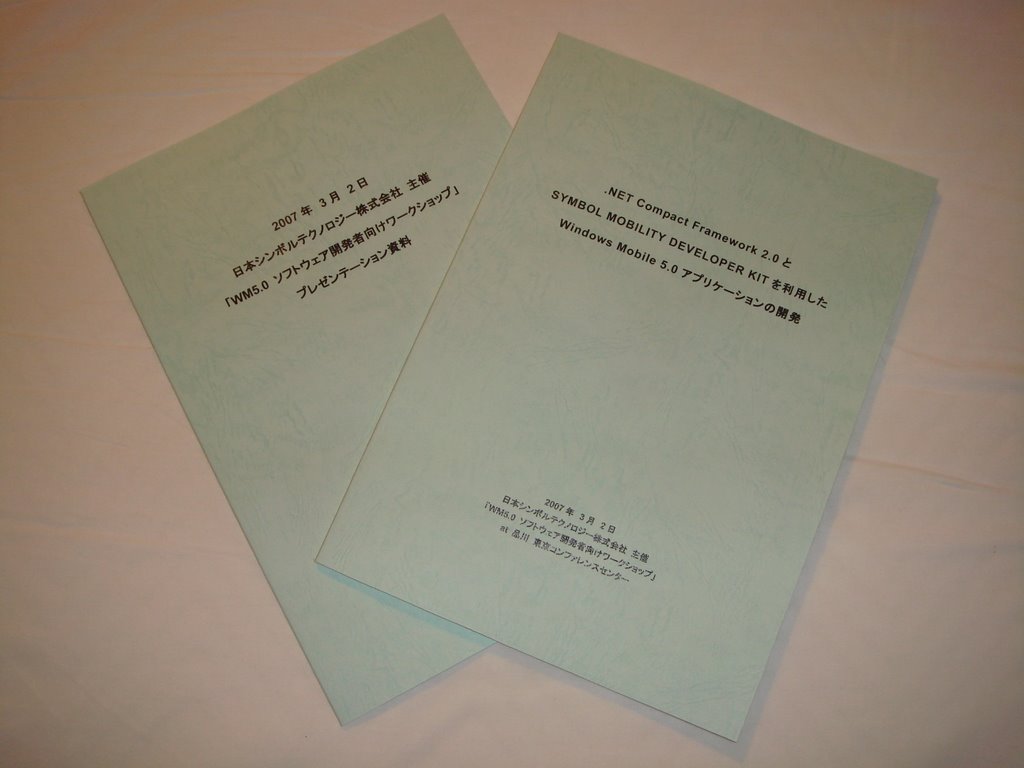
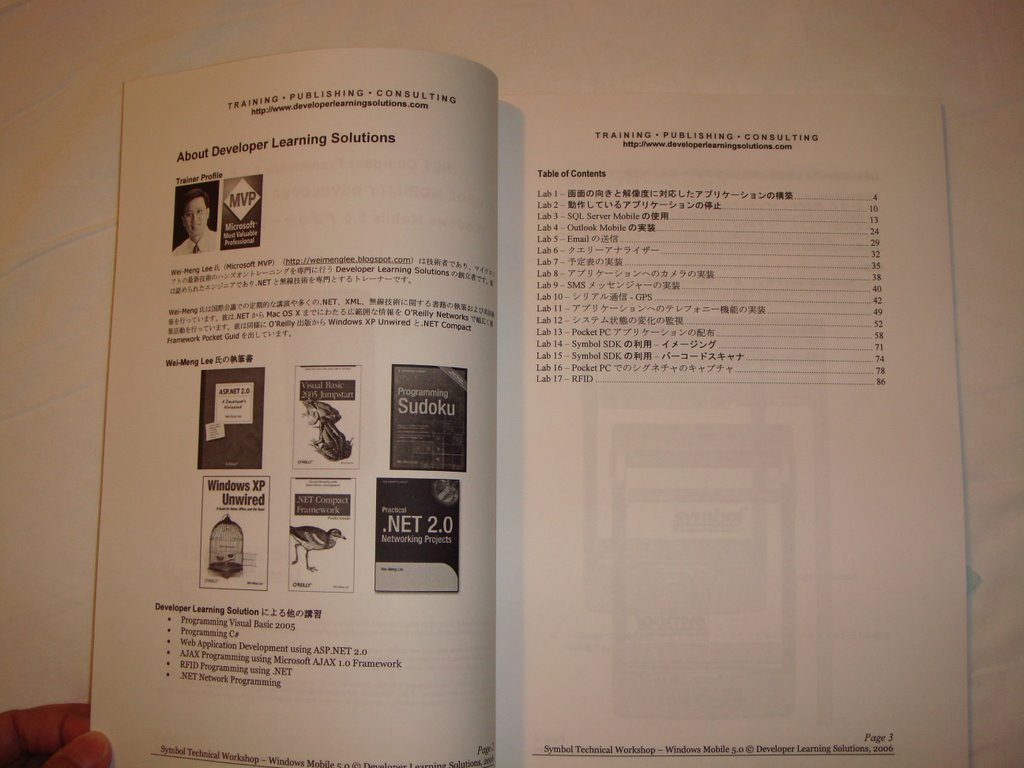

Windows Vista SideShow Gadgets: Little Apps, Big Impact
 Vista's SideShow feature supports auxiliary screen devices that can run applications even when the main computer is turned off, letting users read news, play games, or check their email without powering up the main computer. Check out this tutorial on what how to create Sideshow gadgets using Visual Studio 2005.
Wednesday, February 28, 2007
QRCode - Generating and Scanning
 Do you know that QRCode is very popular in Japan for encoding information? QRCode is a type of 2D barcoding technique that encodes more information than what is traditionally possible with linear barcodes.
 I will be covering how to generate and scan QRCodes using the MC70 in the upcoming course -
Windows Mobile 5.0 Pocket PC Programming using the .NET Compact Framework 2.0. Register for the course today!
Windows Mobile 5.0 Pocket PC Programming using the .NET Compact Framework 2.0. Register for the course today!
Monday, February 26, 2007
Two New Courses Launched - Windows Mobile 6 and Windows Vista Sidebar & SideShow Gadgets Programming!
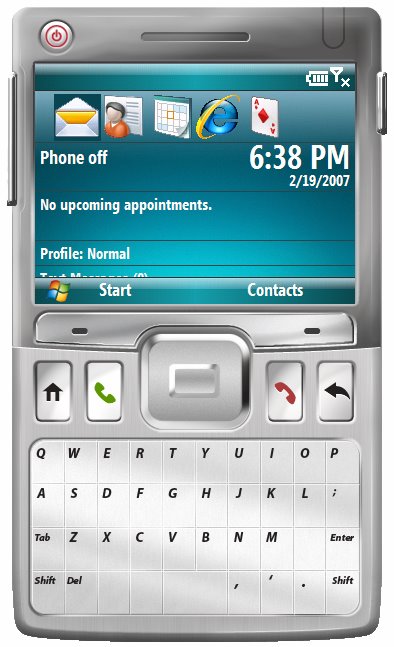 Today I launched two new courses:
- What is New for Developers in Windows Mobile 6
- Programming Windows Vista Sidebar and SideShow Gadgets

Saturday, February 24, 2007
Build a Photo Viewer Using the New FTP Classes in .NET 2.0
 Yet another highly useful but underappreciated feature of .NET 2.0? How about the FTPWebRequest and FtpWebResponse classes? These nifty classes let you built FTP file access right into your applications. See how it's done with this handy photo viewer example.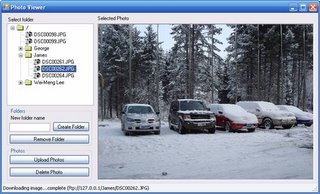
Wednesday, February 21, 2007
Ricavision's Vista SideShow Remote Control
 Ricavision has announced their latest remote control that supports the Windows Vista SideShow technology. It supports IrDA and Class-1 Bluetooth, and a very sexy 2.5" QVGA LCD for SideShow. Enuff said, a picture is worth a thousand words.
New ASUS motherboards support SideShow
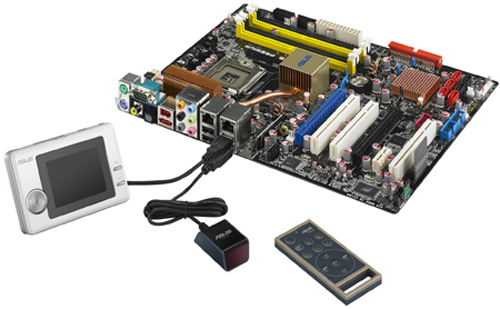 If you are looking to build a new PC to run Windows Vista, be sure to first checkout the new motherboards from ASUS - P5B Premium Vista Edition, M2N32-SLI Premium Vista Edition, P5B-Plus Vista Edition and M2N-Plus SLI Vista Edition. These 4 models include numerous features specifically designed for Vista, among them my favorite is no doubt the ScreenDuo, which is a SideShow device. SideShow is a auxiliary display supported in Windows Vista that allows you to view important information without needing to keep your PC on all the time. Some of the early SideShow devices are commonly found in notebooks, but the four motherboards listed above brings SideShow devices to the desktop.
And of course, SideShow devices are useless unless you got a way to program them to display useful information. Well, of course you can! Stay tuned! ;-)
Monday, February 19, 2007
Sony Ericsson W850i
Recently, m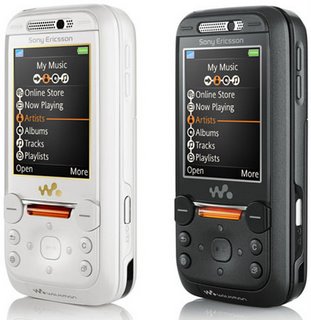 y old phone - the old trusty Motorola E398, gave way and I was searching for a new phone. As I have always been a great fan of Sony Ericsson, I finally decided on the W850i Walkman phone (I got the black one). This is a handsome handset that supports 3G and it has all the great features that you have come to expect from Sony Ericsson's line of Walkman phones. Sound quality is superb and it features a 2MP camera. It comes with a 1GB Memory Stick Pro Duo and hence I can reuse my memory stick for my Sony T10 camera.
I am still exploring the phone but so far I am a happy user!
 y old phone - the old trusty Motorola E398, gave way and I was searching for a new phone. As I have always been a great fan of Sony Ericsson, I finally decided on the W850i Walkman phone (I got the black one). This is a handsome handset that supports 3G and it has all the great features that you have come to expect from Sony Ericsson's line of Walkman phones. Sound quality is superb and it features a 2MP camera. It comes with a 1GB Memory Stick Pro Duo and hence I can reuse my memory stick for my Sony T10 camera.
I am still exploring the phone but so far I am a happy user!
Preorder Harry Potter and the Deathly Hallows (Book 7)
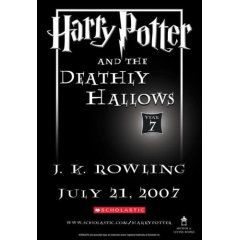 If you are a Harry Potter fan, be sure to pre-order the "Harry Potter and the Deathly Hallows (Book 7)" from Amazon.com.
Sunday, February 18, 2007
Download my articles on CoDe Magazine!
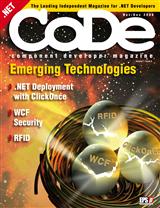
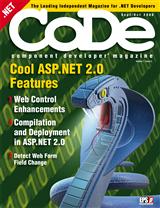 In the Sep/Oct 2006 and Nov/Dec 2006 issues of CoDe Magazine, I have the following articles:
Programming Windows Mobile 5.0 Applications using the .NET Compact Framework
Thanks to the generosity of Code Magazine, they have kindly made the PDF copies of the article/magazine available for download. You can simply click on the above links to download the articles.If you like CoDe magazine, be sure to check the following link for a great discount offer for subscribers! https://www.code-magazine.com/subscribe/vip ($10 discount plus they get a CD with the past 5 years of CoDe on it).
Thursday, February 15, 2007
GPS Module for your Symbol MC70
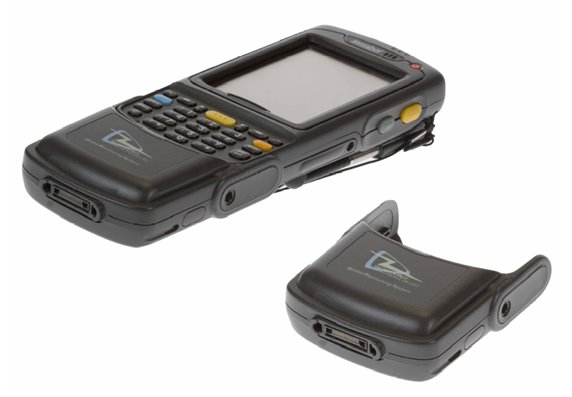 Another really cool device I tried recently is the 1058-GPS from Technology Solutions (UK) Ltd. This is another plug-in for the MC70 and it draws the power from the MC70 directly. Accessing it programmatically is a no-brainer - simply listen to COM1 and interpret the NMEA data sentences that it spew out. For industries that need to track the whereabouts of their staff and delivery vehicles, this is a perfect accessory for your MC70, which has GPRS and Wi-Fi capabilities, allowing you to transmit the geographical locations back to the server real time using wireless connections (GPRS or wireless hotspots).
I have an actual sample on how to perform real-time tracking using GPS and Pocket PCs at: http://www.devx.com/wireless/Article/32938/1763.
I will be covering how to use the 1058-GPS Module in the upcoming course -
Windows Mobile 5.0 Pocket PC Programming using the .NET Compact Framework 2.0. Register for the course today!
RFID Solutions for your Symbol MC70
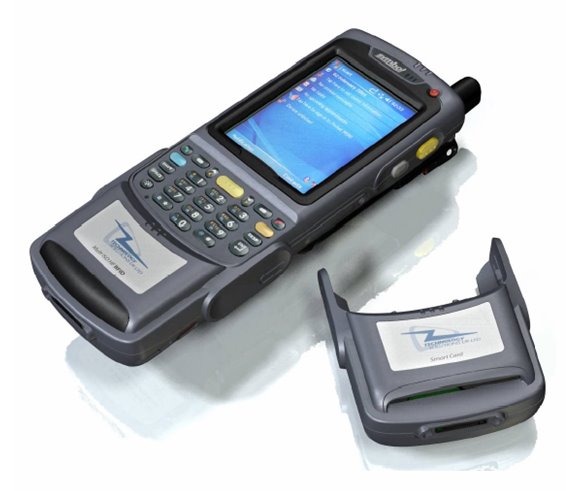 If you are looking for a RFID solution and are searching for the mobile devices and its accompanying accessories, look no further. Recently, I had the opportunity to work with the 1059 HF Multi-ISO RFID Reader from Technology Solutions (UK) Ltd. The 1059 HF Multi-ISO RFID Reader is a plug-in for the Symbol MC70 and it draws its power from the MC70, and hence it does not require any external sources of power. It provides the ability to read and write to a wide variety of transponders at 13.56 MHz including ISO 15693, ICODE (I & II) and the complete Mifare family of ISO14443 (A&B).
Using the 1059 HF Multi-ISO RFID Reader, you can retain the barcode scanning capabilities of the MC70 and at the same time equip your MC70 with RFID capabilities.
I will be covering how to use the 1059-HF Multi-ISO RFID Reader module in the upcoming course -
Windows Mobile 5.0 Pocket PC Programming using the .NET Compact Framework 2.0. Register for the course today!
Windows Mobile 5.0 Pocket PC Programming using the .NET Compact Framework 2.0. Register for the course today!
Wednesday, February 14, 2007
101 Ways to Manipulate the DataGridView Control
 The DataGridView control, new in Windows Forms 2.0, is so versatile and powerful that beginners can easily be overwhelmed by the options. Here's an at-your-fingertips reference to some of the most common and useful things you can do with it. (OK there aren't really 101 ways but there are a lot!)
Monitor Your Web Cam from a Remote Computer
 We've offered a few solutions for working with web cams within .NET to create fun and intriguing monitoring applications. In this article, we extend those ideas so that web cam images can be shared with multiple clients over the Web.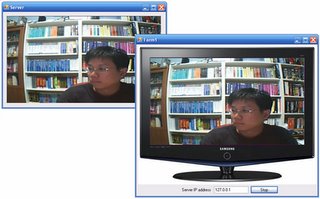
Sunday, February 11, 2007
Windows Mobile 6.0 SDK released!
Microsoft has recently announced the next version of Windows Mobile - Windows Mobile 6.0. In place of the current offerings, Microsoft has grouped them into three specific classes:
Microsoft SmartPhone ---> Windows Mobile Standard
Windows Mobile Pocket PC Phone Edition ---> Windows Mobile Professional
Windows Mobile Pocket PC ---> Windows Mobile Classic
You can now download the SDK for Windows Mobile 6.0 Standard and Professional.
Note:
To install the Windows Mobile 6.0 SDKs, you need to have the following:
1. Visual Studio 2005
2. ActiveSync 4.5
3. .NET CF 2.0 SP1
I will post more information after I have experimented with it! Stay tuned!
Microsoft SmartPhone ---> Windows Mobile Standard
Windows Mobile Pocket PC Phone Edition ---> Windows Mobile Professional
Windows Mobile Pocket PC ---> Windows Mobile Classic
You can now download the SDK for Windows Mobile 6.0 Standard and Professional.
Note:
To install the Windows Mobile 6.0 SDKs, you need to have the following:
1. Visual Studio 2005
2. ActiveSync 4.5
3. .NET CF 2.0 SP1
I will post more information after I have experimented with it! Stay tuned!
Friday, February 09, 2007
My Programming Sudoku book translated into French!
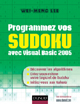 Today, I received a little surprise in the mail...I received a copy of my Programming Sudoku book translated into French! ;-) I hope I get the language right, for I do not understand a single word in the book, except my name and the familar screen shots. ;-)
So if there are french readers out there who have read this book, I really welcome your feedback!
Wednesday, February 07, 2007
Course on Windows Mobile 5.0 Programming
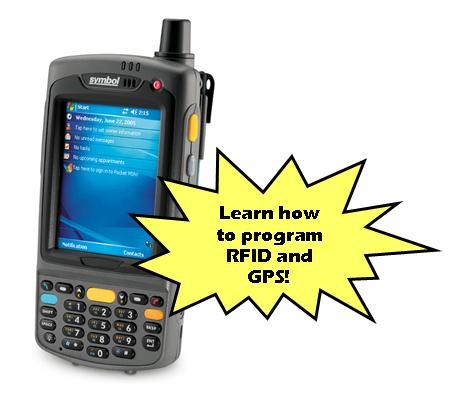
UPDATES: Includes coverage of Bluetooth Printing using Zebra Bluetooth Printers!!!
I am conducting a course on Windows Mobile 5.0 Programming on the 11th May 2007. Here are the details:
Course Title: Windows Mobile 5.0 Programming
Topics: RFID, GPS, IrDA Programming (and more!) on the Windows Mobile 5.0 Pocket PC
Date: 11th May 2007
Venue: Symbol Technologies Asia, Inc
Cost: S$299 (if you register before 11th March). S$399 after 11th March. Includes 1 lunch and 2 tea breaks
Register by: 11th April 2007.
To register, please send an email to weimenglee@gmail.com for the registration form. Alternatively, you can download the registration form directly here.
Synopsis
This course will introduce to participants the various techniques to program their Windows Mobile 5.0 Pocket PC devices. Far from being an introductory course, this feature-packed course will show you how to interface with external devices, communicate wirelessly with other devices, as well as access the data of built-in applications (such as Contacts, Outlook Mobile, and Calendar) from within your own.
What You Will Learn
- How to access the information of your contacts in Contacts
- How to integrate telephony functions into your application
- How to connect to serial devices (e.g. GPS, computers) using Bluetooth
- How to obtain geographical location information using a GPS
- How to send and receive SMS messages
- How to capture images using the built-in camera
- How to perform barcode scanning
- How to capture signature
- How to program the IrDA port
- How to connect to a remote computer using sockets programming
- How to program RFID
Symbol Technologies Asia, Inc
230 Victoria Street
#12-06/10
Bugis Junction Office Tower
Singapore 188024
Important Note
You will be required to bring your own notebook computer for the course. The required software will be sent to you one week before the commencement of the course. Please ensure that the required software is installed before attending the course.
Loaner Windows Mobile 5.0 devices will be provided during the course for testing purposes.
Saturday, January 20, 2007
Intercepting the Arrow Keys in a Windows Forms Application
Question
I have a Windows Form populated with a few controls. I want to let the user use the arrow keys to control some of the actions on the window. However, it seems like every time the user presses the arrow key, the controls (such as Button control) on the form receives the event and acts on it instead. How do I disable this behavior?
Answer
By default, special keys (such as Left, Right, Up, Down, etc) are filtered for focus management. That is to say, when you press the one of the arrow keys, Windows will automatically choose the next control on your form and set the focus on it. However, you can override this behavior by writing some code.
If your form has got no controls on it (or has controls that does not handle any keyboard inputs (such as the Panel control)), the easiest way would be to handle the KeyDown event of the form, like the following:
Private Sub Form1_KeyDown( _
ByVal sender As Object, _
ByVal e As System.Windows.Forms.KeyEventArgs) _
Handles Me.KeyDown
If e.KeyData = Keys.Up Or _
e.KeyData = Keys.Down Or _
e.KeyData = Keys.Left Or _
e.KeyData = Keys.Right Then
'---perform your own action---
e.Handled = True
End If
End Sub
However, if the form contains controls that handles keyboard input (such as the TextBox and Button controls), then things get a little tricky.
Assuming you have some Button controls on your form and you want to disable the arrow keys having an effect on them. You need to do the following:
Public Class ExtendedButton
Inherits Button
Public Event ArrowClicked(ByVal key As Keys)
Protected Overrides Function IsInputKey( _
ByVal key As Keys) As Boolean
Select Case (key)
Case Keys.Up, Keys.Down, _
Keys.Left, Keys.Right
RaiseEvent ArrowClicked(key)
Return True
End Select
Return MyBase.IsInputKey(key)
End Function
End Class
Private Sub Form1_Load( _
ByVal sender As System.Object, _
ByVal e As System.EventArgs) _
Handles MyBase.Load
Dim b1 As New ExtendedButton
With b1
.Text = "Button 1"
.Location = New Point(10, 20)
AddHandler .ArrowClicked, _
AddressOf ArrowClicked
End With
Me.Controls.Add(b1)
Dim b2 As New ExtendedButton
With b2
.Text = "Button 2"
.Location = New Point(100, 20)
AddHandler .ArrowClicked, _
AddressOf ArrowClicked
Me.Controls.Add(b2)
End With
End Sub
Public Sub ArrowClicked( _
ByVal key As Windows.Forms.Keys)
'---insert code here to do what
' you are supposed to do---
Console.WriteLine("key pressed " & _
key.ToString)
End Sub
That’s it! When the user now presses one of the arrow keys, the ArrowClicked event will be fired. You can insert the code to do whatever you are supposed to do here, such as animating some actions on your form, etc.
I have a Windows Form populated with a few controls. I want to let the user use the arrow keys to control some of the actions on the window. However, it seems like every time the user presses the arrow key, the controls (such as Button control) on the form receives the event and acts on it instead. How do I disable this behavior?
Answer
By default, special keys (such as Left, Right, Up, Down, etc) are filtered for focus management. That is to say, when you press the one of the arrow keys, Windows will automatically choose the next control on your form and set the focus on it. However, you can override this behavior by writing some code.
If your form has got no controls on it (or has controls that does not handle any keyboard inputs (such as the Panel control)), the easiest way would be to handle the KeyDown event of the form, like the following:
Private Sub Form1_KeyDown( _
ByVal sender As Object, _
ByVal e As System.Windows.Forms.KeyEventArgs) _
Handles Me.KeyDown
If e.KeyData = Keys.Up Or _
e.KeyData = Keys.Down Or _
e.KeyData = Keys.Left Or _
e.KeyData = Keys.Right Then
'---perform your own action---
e.Handled = True
End If
End Sub
However, if the form contains controls that handles keyboard input (such as the TextBox and Button controls), then things get a little tricky.
Assuming you have some Button controls on your form and you want to disable the arrow keys having an effect on them. You need to do the following:
- Extend the Button control and override the IsInputKey function:
Public Class ExtendedButton
Inherits Button
Public Event ArrowClicked(ByVal key As Keys)
Protected Overrides Function IsInputKey( _
ByVal key As Keys) As Boolean
Select Case (key)
Case Keys.Up, Keys.Down, _
Keys.Left, Keys.Right
RaiseEvent ArrowClicked(key)
Return True
End Select
Return MyBase.IsInputKey(key)
End Function
End Class
- Programmatically add the extended Button control to your form:
Private Sub Form1_Load( _
ByVal sender As System.Object, _
ByVal e As System.EventArgs) _
Handles MyBase.Load
Dim b1 As New ExtendedButton
With b1
.Text = "Button 1"
.Location = New Point(10, 20)
AddHandler .ArrowClicked, _
AddressOf ArrowClicked
End With
Me.Controls.Add(b1)
Dim b2 As New ExtendedButton
With b2
.Text = "Button 2"
.Location = New Point(100, 20)
AddHandler .ArrowClicked, _
AddressOf ArrowClicked
Me.Controls.Add(b2)
End With
End Sub
- Define the ArrowClicked event handler:
Public Sub ArrowClicked( _
ByVal key As Windows.Forms.Keys)
'---insert code here to do what
' you are supposed to do---
Console.WriteLine("key pressed " & _
key.ToString)
End Sub
That’s it! When the user now presses one of the arrow keys, the ArrowClicked event will be fired. You can insert the code to do whatever you are supposed to do here, such as animating some actions on your form, etc.
Friday, January 19, 2007
Apple Confidential 2.0

 As you are probably aware, I spend most of my time writing code and exploring new technologies happening in the Windows world. However, several years back I started venturing into the Mac as I was fascinated with the Mac OS X. However, my primary interest on the Mac was still pretty much constrained to using it as an end-user. As a result, I contributed to a few Mac consumer books, such as Mac OS X Unwired, Mac OS X Hacks, Mac OS X Panther Hacks, and Mac OS X Panther in a Nutshell, as well as several articles on MacDevCenter.
I have always been very interested in reading the success stories of companies, and I have a dozen of books on Microsoft, Apple, and Dell. Among all these books, my personal all-time favorite is still Apple Confidential 2.0 (updated edition of Apple Confidential). If you enjoy reading about how the Mac came about (or just anything about Steve Jobs and Steve Wozniak, and all others that played a role in shaping Apple), this book is a very captivating read. It covers Apple’s history since the beginning till the era of the iPod. As this book was published in 2004, it does miss out some of the important events in Apple’s history, such as the transition to Intel platform, the tremendous success of the iPod, and of course, the announcement of the iPhone. But all these do not make the book any less interesting. I especially like the sidebars that appear on almost every page, which provides little snippets of interesting information.
This book will give you a good explanation to the following questions:
- Why did Apple kill the clones?
- Heard of Newton? Why is it not around today?
- How the design of iMac came around?
- Who is the true father of the Macintosh?
Thursday, January 18, 2007
Programmatically Switch to Another Running Application/Process
Question
In my Windows application, I want to be able to switch to another application running on my computer. For example, I want to switch to Internet Explorer and make it the active window. How do I do that?
Answer
To solve this problem, you need to first obtain the list of processes currently running on your system. You then need to find the required application/process to switch to and then make that window active.
First, import the following namespace:
using System.Diagnostics;
Then, declare the following functions from the user32.dll (yes, you will use P/Invoke to switch the current active window):
public partial class Form1 : Form
{
[DllImport("user32.dll")]
private static extern bool
SetForegroundWindow(IntPtr hWnd);
[DllImport("user32.dll")]
private static extern bool ShowWindowAsync(
IntPtr hWnd, int nCmdShow);
Define the following constant:
private const int SW_RESTORE = 9;
Assuming that you want to switch to IE, the following function will retrieve the list of processes running, look for IE, and then make it the active window:
private void SwitchToIE()
{
Process[] procs = Process.GetProcesses();
if (procs.Length != 0)
{
for (int i = 0; i < procs.Length; i++)
{
try
{
if (procs[i].MainModule.ModuleName ==
"IEXPLORE.EXE")
{
IntPtr hwnd =
procs[i].MainWindowHandle;
ShowWindowAsync(hwnd, SW_RESTORE);
SetForegroundWindow(hwnd);
return;
}
}
catch
{
}
}
}
else
{
MessageBox.Show("No process running");
return;
}
MessageBox.Show(
"Internet Explorer is not running");
}
Voila! If at least one instance of IE is running, you will be able to switch to it; else it will display the message “Internet Explorer is not running”.
In my Windows application, I want to be able to switch to another application running on my computer. For example, I want to switch to Internet Explorer and make it the active window. How do I do that?
Answer
To solve this problem, you need to first obtain the list of processes currently running on your system. You then need to find the required application/process to switch to and then make that window active.
First, import the following namespace:
using System.Diagnostics;
Then, declare the following functions from the user32.dll (yes, you will use P/Invoke to switch the current active window):
public partial class Form1 : Form
{
[DllImport("user32.dll")]
private static extern bool
SetForegroundWindow(IntPtr hWnd);
[DllImport("user32.dll")]
private static extern bool ShowWindowAsync(
IntPtr hWnd, int nCmdShow);
Define the following constant:
private const int SW_RESTORE = 9;
Assuming that you want to switch to IE, the following function will retrieve the list of processes running, look for IE, and then make it the active window:
private void SwitchToIE()
{
Process[] procs = Process.GetProcesses();
if (procs.Length != 0)
{
for (int i = 0; i < procs.Length; i++)
{
try
{
if (procs[i].MainModule.ModuleName ==
"IEXPLORE.EXE")
{
IntPtr hwnd =
procs[i].MainWindowHandle;
ShowWindowAsync(hwnd, SW_RESTORE);
SetForegroundWindow(hwnd);
return;
}
}
catch
{
}
}
}
else
{
MessageBox.Show("No process running");
return;
}
MessageBox.Show(
"Internet Explorer is not running");
}
Voila! If at least one instance of IE is running, you will be able to switch to it; else it will display the message “Internet Explorer is not running”.
Wednesday, January 17, 2007
How to find out the number of lines taken up in a TextBox control?
Question
How do I find out the number of lines taken up in a TextBox control?
Answer
Before we discuss the solution, let's recap that the TextBox control supports multiline using the Multiline property. If you set it to True, then you can span your text input over multiple lines. It also exposes the Lines property (supported only on .NET framework but not .NET CF), where you can check how many lines are stored in the TextBox control. However, the Lines property only reports the number of lines separated by a carriage return character. Hence, if you have a single long line that spans more than the width of the TextBox control, it would still report that you have a single line in it.
To really count the number of lines in it, you have to use P/Invoke.
.NET CF Solution
Declare the functions as follows:
Public Class Form1
<Runtime.InteropServices.DllImport("coredll.dll")> _
Shared Function SendMessage( _
ByVal hwnd As IntPtr, ByVal msg As Integer, _
ByVal wParam As Integer, ByVal lParam As Integer) As Integer
End Function
<Runtime.InteropServices.DllImport("coredll.dll")> _
Shared Function GetCapture() As IntPtr
End Function
Then, declare the constant and variable:
Private Const EM_GETLINECOUNT = &HBA
Dim hnd As IntPtr
Finally, do this in your code:
TextBox1.Capture = True
hnd = GetCapture()
TextBox1.Capture = False
Dim linecount as Integer = SendMessage(hnd, EM_GETLINECOUNT, 0, 0)
.NET Solution
Declare the following function:
Public Class Form1
Private Declare Function SendMessageAsLong Lib "user32" _
Alias "SendMessageA" ( _
ByVal hWnd As Integer, ByVal wMsg As Integer, _
ByVal wParam As Integer, ByVal lParam As Integer) As Integer
Define the following constant:
Private Const EM_GETLINECOUNT = &HBA
How do I find out the number of lines taken up in a TextBox control?
Answer
Before we discuss the solution, let's recap that the TextBox control supports multiline using the Multiline property. If you set it to True, then you can span your text input over multiple lines. It also exposes the Lines property (supported only on .NET framework but not .NET CF), where you can check how many lines are stored in the TextBox control. However, the Lines property only reports the number of lines separated by a carriage return character. Hence, if you have a single long line that spans more than the width of the TextBox control, it would still report that you have a single line in it.
To really count the number of lines in it, you have to use P/Invoke.
.NET CF Solution
Declare the functions as follows:
Public Class Form1
<Runtime.InteropServices.DllImport("coredll.dll")> _
Shared Function SendMessage( _
ByVal hwnd As IntPtr, ByVal msg As Integer, _
ByVal wParam As Integer, ByVal lParam As Integer) As Integer
End Function
<Runtime.InteropServices.DllImport("coredll.dll")> _
Shared Function GetCapture() As IntPtr
End Function
Then, declare the constant and variable:
Private Const EM_GETLINECOUNT = &HBA
Dim hnd As IntPtr
Finally, do this in your code:
TextBox1.Capture = True
hnd = GetCapture()
TextBox1.Capture = False
Dim linecount as Integer = SendMessage(hnd, EM_GETLINECOUNT, 0, 0)
.NET Solution
Declare the following function:
Public Class Form1
Private Declare Function SendMessageAsLong Lib "user32" _
Alias "SendMessageA" ( _
ByVal hWnd As Integer, ByVal wMsg As Integer, _
ByVal wParam As Integer, ByVal lParam As Integer) As Integer
Define the following constant:
Private Const EM_GETLINECOUNT = &HBA
Finally, do this in your code:
Dim linecount As Long = SendMessageAsLong(TextBox1.Handle, EM_GETLINECOUNT, 0, 0)Do you want more information about a prospective babysitter? Searching for an old relative? A people finder website can often help in many ways. |
Subscribe to:
Posts (Atom)