Showing posts with label iPad. Show all posts

Sunday, July 31, 2016

Swift Cheat Sheets updated for Swift 3.0

My Swift Cheat Sheets are now updated for Swift 3.0. To try out Swift 3.0, you would need Xcode 8 (beta 3 at the time of writing). You can download the cheat sheets by clicking on the images below.

Wednesday, June 24, 2015

Roadmap for learning iOS Programming using Swift

Monday, June 22, 2015

IOS103 - Practical iOS Programming using the Swift Programming Language

Want to learn Swift by doing something interesting? In the upcoming IOS103 - Practical iOS Programming using the Swift Programming language course, you will learn the Swift programming language by working on some interesting projects, such as:

1. Multithreading using Grand Central Dispatch
2. Protocols and Delegates
3. Completion Handler Design Patterns
4. Closures
Course Fee
S$1197 (nett; no GST)
If your company is sponsoring you for the training, your company can enjoy 400% tax deductions/ allowances and/or 60% cash payout for investment in innovation and productivity improvements under the Productivity and Innovation Credit (PIC) scheme. For more details, check out the Productivity and Innovation Credit page. 
Schedules
Start DateEnd DateDetailsCategory
Mon Sep 21 2015 CONFIRMEDTue Sep 22 2015PDF
Venue
Bayview Hotel Singapore
30 Bencoolen Street
Singapore 189621  

If your company requires in-house training, you can contact us to customize the topics to meet your training requirements. We train worldwide! We have conducted customized classes in the United States, Canada, Norway, Denmark, Japan, China, Hong Kong, Taiwan, and Thailand.

Thursday, June 18, 2015

Learning iOS Programming?

So, you are planning to get started with iOS programming. Good for you. But how do you get started? I have the following two courses to get you started:

IOS101 - Fundamentals of iPhone Programming using Swift
IOS103 - Practical iOS Programming using the Swift Programming Language

Which course is suitable for you?

You should attend IOS101 if you:

  • Are new to iOS programming
  • Want to learn how to create iPhone apps using Swift

You should attend IOS103 if you:

  • Are already familiar with Objective-C and want to learn how to code in Swift
  • Want to learn advanced Swift features
  • Want to learn how to use Swift to create interesting iOS projects

IOS103 - Practical iOS Programming using the Swift Programming Language - New Course!

As the Swift programming language gains traction, it is now important to learn this language so that you can be prepared for the future. This new course is specifically designed for those who are already familiar with Objective-C and who want to learn Swift in the fastest possible way.

Instead of covering all the language syntax in 2 days, this course will discuss Swift through the use of practical examples. Participants will learn how to use Swift in their iOS projects, and learn on-the-job as they work through some of the most interesting projects in iOS.
Course Fee
S$1197 (nett; no GST)
If your company is sponsoring you for the training, your company can enjoy 400% tax deductions/ allowances and/or 60% cash payout for investment in innovation and productivity improvements under the Productivity and Innovation Credit (PIC) scheme. For more details, check out the Productivity and Innovation Credit page. 
Schedules
Start DateEnd DateDetailsCategory
Mon Sep 21 2015Tue Sep 22 2015PDF
Venue
Bayview Hotel Singapore
30 Bencoolen Street
Singapore 189621  

If your company requires in-house training, you can contact us to customize the topics to meet your training requirements. We train worldwide! We have conducted customized classes in the United States, Canada, Norway, Denmark, Japan, China, Hong Kong, Taiwan, and Thailand. 

Tuesday, April 28, 2015

New Course - IOS306 - 1-Day Understanding Auto Layout

In this one-day course, you will learn about Auto Layout, a system that allows you to layout your iOS application’s UI by creating a mathematical description of the relationships between the various elements in your app UI. Auto Layout is a tool that is very difficult for developers to get their heads around, but this course will make it simple for you to develop highly adaptable UI using Auto Layout in the shortest time ever.

At the end of the course, you would have a solid understanding of Auto Layout.

Topics 

• What is a Constraint? 
• Layout Constraints 
    o Alignment 
    o Size 
    o Spacing 
    o Equal size 
• Using Preview Assistant Editor 
• Resolving Auto Layout issues 
    o Fixing Conflicting Constraints 
    o Updating Constraints 
• Using Size Classes to create adaptable UI
    o Creating Universal apps with one Storyboard 
• Working with Auto Layout Programmatically
Course Fee
S$799 (nett; no GST)
If your company is sponsoring you for the training, your company can enjoy 400% tax deductions/ allowances and/or 60% cash payout for investment in innovation and productivity improvements under the Productivity and Innovation Credit (PIC) scheme. For more details, check out the Productivity and Innovation Credit page. 
Schedules
Start DateEnd DateDetailsCategory
Fri Jun 05 2015Fri Jun 05 2015PDF
Tue Jul 07 2015Tue Jul 07 2015PDF
Venue
Bayview Hotel Singapore
30 Bencoolen Street
Singapore 189621

Monday, April 27, 2015

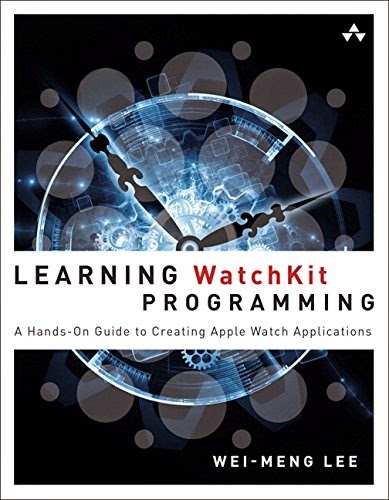
Learning WatchKit Programming (Addison Wesley) is due to publish soon!

Just got your Apple Watch and eager to start writing some apps for it? Stay tuned! My latest book - Learning WatchKit Programming (Addison Wesley), is due to publish soon!

In this book, you will learn:
* How to build the UI of your Apple Watch app
* How to communicate between your Apple Watch app and the containing iOS app
* How to display notifications received from your iPhone
* How to display glances for your app

Better still, if you want the quickest way to get started, join my Apple Watch Programming class on the following dates:
Schedules
Start DateEnd DateDetailsCategory
Fri May 15 2015Fri May 15 2015PDF
Thu Jun 18 2015Thu Jun 18 2015PDF
Fri Jul 10 2015Fri Jul 10 2015PDF
Wed Sep 16 2015Wed Sep 16 2015PDF
Venue
Bayview Hotel Singapore
30 Bencoolen Street
Singapore 189621

Tuesday, April 21, 2015

Training courses for your company

Looking for an in-house training to jumpstart your developers on a particular technology? We can help!

Our training methodology is simple - "you learn most when you have to do it". All our training courses focus heavily on hands-on training. Participants are expected to write code and learn how to debug their apps to make them work. Through this process of learning-by-doing, participants are able to absorb the topics quickly and get productive immediately.

If you have 5 developers or more, it would be economical for you to arrange for in-house training, where we can customize the topics based on your project requirements. If not, you can always send your staff to attend one of our many open enrolment courses:


We have successfully trained developers in the following regions:

  • Singapore
  • Thailand
  • Norway
  • Denmark
  • United States of America (USA)
  • Hong Hong
  • Taiwan
  • China
  • Japan
  • Indonesia

Check out the following links for the list of courses that we have available:


Sunday, January 25, 2015

Article - Getting Started with the Apple WatchKit

Getting Started with the Apple WatchKit


Buzz keeps growing around the Apple Watch, scheduled for release in early 2015. Will your apps be ready? Grab Apple's new WatchKit (released November 18) and speed-read Wei-Meng Lee's instructions on using these new tools to gear up your programming as the time winds down to arrival of the Watch.
As promised, Apple announced the WatchKit on November 19, 2014 with the release of the Xcode 6.2 beta and the iOS 8.2 Software Development Kit (SDK). With this release of the WatchKit, developers will be able to build third-party apps that run on an Apple Watch (when the watch is released in early 2015). This release of the WatchKit requires each Apple Watch app to be tethered to its accompanying iPhone app running on the user’s iPhone. The ability to develop fully native Apple Watch apps is not available in this release; Apple expects it to be available sometime in 2015.
This article gets you started with Apple Watch programming. Here I’ll briefly discuss the different types of applications that you can create; in subsequent articles, I’ll go into detail on each type of application.
Want to learn more about Apple Watch Programming? Come and join us in this upcoming IOS302 -  Advanced iOS - Apple Watch Programming course:
Course Fee
S$1297 (nett; no GST)
If your company is sponsoring you for the training, your company can enjoy 400% tax deductions/ allowances and/or 60% cash payout for investment in innovation and productivity improvements under the Productivity and Innovation Credit (PIC) scheme. For more details, check out the Productivity and Innovation Credit page. 
Schedules
Start DateEnd DateDetailsCategory
Fri Jan 16 2015Fri Jan 16 2015PDF
Fri Feb 27 2015 CONFIRMEDFri Feb 27 2015PDF
Wed Mar 11 2015Wed Mar 11 2015PDF
Venue
Bayview Hotel Singapore
30 Bencoolen Street
Singapore 189621  

If your company requires in-house training, you can contact us to customize the topics to meet your training requirements. We train worldwide! We have conducted customized classes in the United States, Norway, Denmark, Japan, China, Hong Kong, Taiwan, and Thailand.

Tuesday, January 20, 2015

IOS305 - Developing Secure iOS Applications

In this new course - IOS305 - Developing Secure iOS Applications, you will learn how to develop safe and secure iOS apps. You will learn:

* How to save user's credentials using the iOS KeyChain
* How to save the KeyChain data on iCloud so that user can access the same secured information on multiple devices
* How to securely save user's confidential data using symmetric and asymmetric encryption and encryption.
* How to consume a secure REST API service
* How to use Touch ID on the iPhone and iPad to authenticate users
* How to build secure user interfaces so that user's private information are protected
Course Fee
S$799 (nett; no GST)
If your company is sponsoring you for the training, your company can enjoy 400% tax deductions/ allowances and/or 60% cash payout for investment in innovation and productivity improvements under the Productivity and Innovation Credit (PIC) scheme. For more details, check out the Productivity and Innovation Credit page. 
Schedules
Start DateEnd DateDetailsCategory
Fri Feb 06 2015Fri Feb 06 2015PDF
Wed Apr 15 2015Wed Apr 15 2015PDF
Venue
Bayview Hotel Singapore
30 Bencoolen Street
Singapore 189621  

If your company requires in-house training, you can contact us to customize the topics to meet your training requirements. We train worldwide! We have conducted customized classes in the United States, Norway, Denmark, Japan, China, Hong Kong, Taiwan, and Thailand.

Tuesday, December 02, 2014

Article - Using Objective-C and Swift together in iOS Apps

As an addendum to my previous article about the role of Swift in iOS app development, we now take a look at how Swift and Objective-C can be used together in iOS apps. Despite Apple’s intention to replace the Objective-C language using Swift, it is not practical in the short term simply due to the fact that developers are deeply entrenched in Objective-C. Rather than force Swift down the developer’s throat, Apple has made it easy to allow Objective-C to interoperate with Swift. In this article, I run through a couple of simple examples to illustrate first how you can use Swift within an Objective-C project, and then how to include Objective-C within a Swift project.

Read the article here.

iOS courses are all updated to use Swift

My iOS courses are all fully updated to use Swift. When you attend the Foundation of iPhone Programming course, you will also get two nicely laminated Swift Cheat Sheets.  Use these cheat sheets to help you migrate your existing code to Swift. If you are a beginning iOS developer, these cheat sheets will save you lots of time.

Want your own cheat sheets? Download them here.